For independent auto repair shops
Get Listed, Get More Work and Run Your Auto Shop in One Place
Start with a free shop page and booking requests from local drivers. Add review requests, appointment reminders and follow-ups, then run repair orders, estimates and invoices when you're ready. No software switch required to get started.
Repairius Pro is $99.99/month with unlimited users. Start with a 14-day trial — a card is required, and no subscription charge happens until the trial ends.
1
Get listed — free
- ✓Free verified shop page and basic website that shows up in search
- ✓Your phone, hours and services in front of local drivers
- ✓Already in our directory? Claim your page in minutes
2
Get work
- ✓Free booking requests straight to your shop
- ✓A booking link to share on Google, Facebook and Instagram
- ✓No per-lead fees or commissions on requests
3
Marketing built in
- ✓Review requests after completed jobs
- ✓Appointment reminders and status texts
- ✓Customer follow-ups from vehicle history — included in the subscription, no separate marketing add-on
4
Manage the workflow
- ✓Photo inspections and text-approved estimates
- ✓Technician assignment and job status
- ✓Invoices with online card payments, unlimited users
How a repair order runs in Repairius
Step 1
Check in the car
Find the returning customer or add a new one, with the vehicle and the concern.
Step 2
Inspect and document
Record the condition with photos and notes the customer can see.
Step 3
Estimate parts and labor
Build the estimate; AI labor-time suggestions are estimates your writer reviews.
Step 4
Get approval
Send it by text or email and see when the customer approves.
Step 5
Assign and track the work
Assign the job to a technician and update its status as it moves.
Step 6
Invoice and follow up
Convert to an invoice, collect by card online, and keep the visit in the vehicle's history.
Illustrative workflow: a check-engine light and a found extra repair
This is an illustrative example, not a real customer case. A returning customer brings in a sedan with a check-engine light.
- The writer finds the customer and sees the last oil change in the vehicle history.
- The tech diagnoses a failed coil and photographs a leaking valve cover gasket.
- The estimate lists the coil as recommended and the gasket as optional.
- The customer approves the coil now and declines the gasket by text.
- The invoice is paid by card, and the declined item stays on the vehicle's record.
Buyer checklist
- ✓Customer and vehicle history in one place
- ✓Photo inspections customers can view
- ✓Digital estimate approval
- ✓Technician assignment and job status
- ✓Online card payments
What it looks like in the app
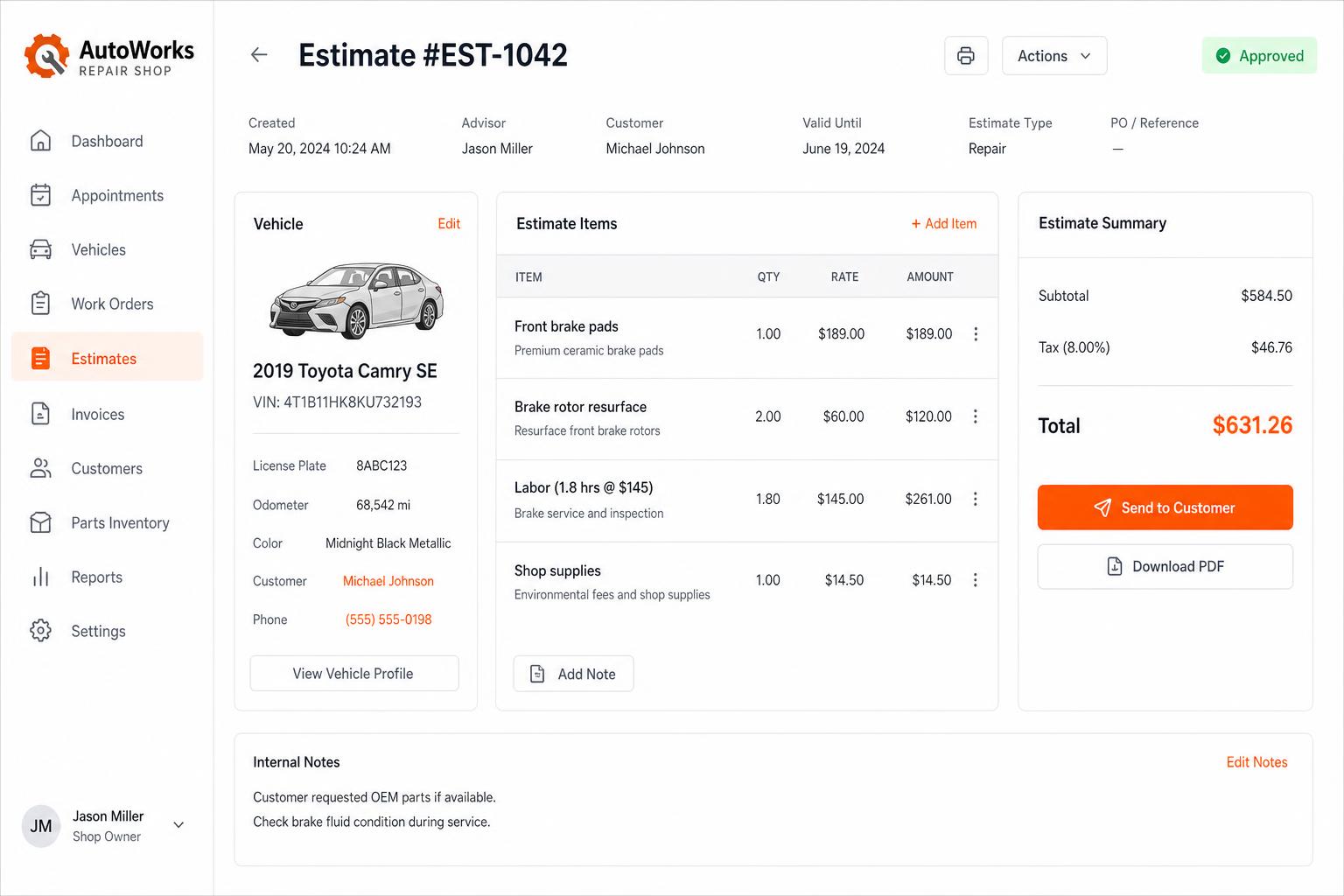
Estimates that close themselves
Build line-itemized estimates with parts, labor, tax, and shop supplies. Send via SMS or email — customers approve in one tap.
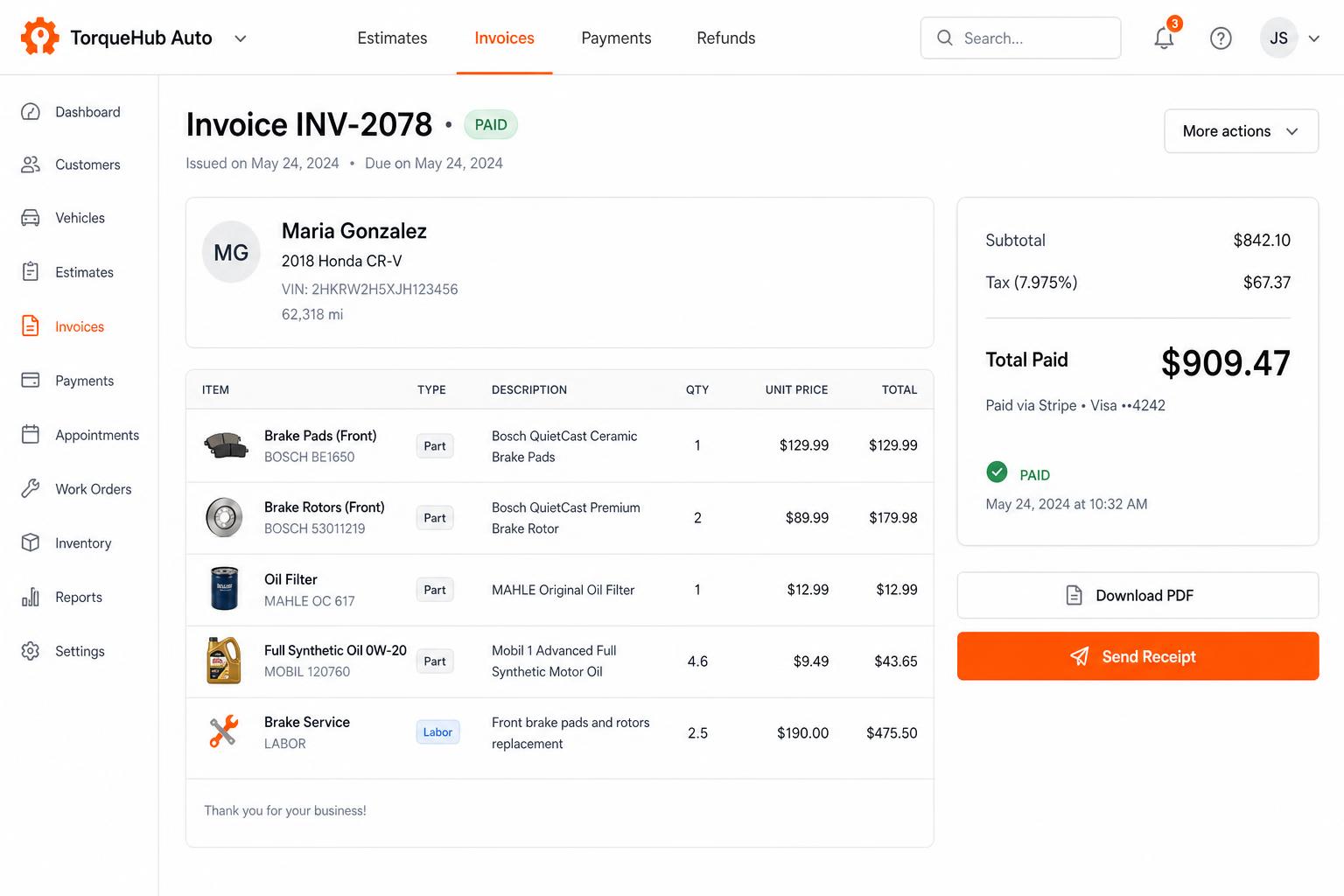
Invoicing + payments, built in
Convert estimates into invoices, collect card payments via Stripe, send PDF receipts. No third-party billing software.
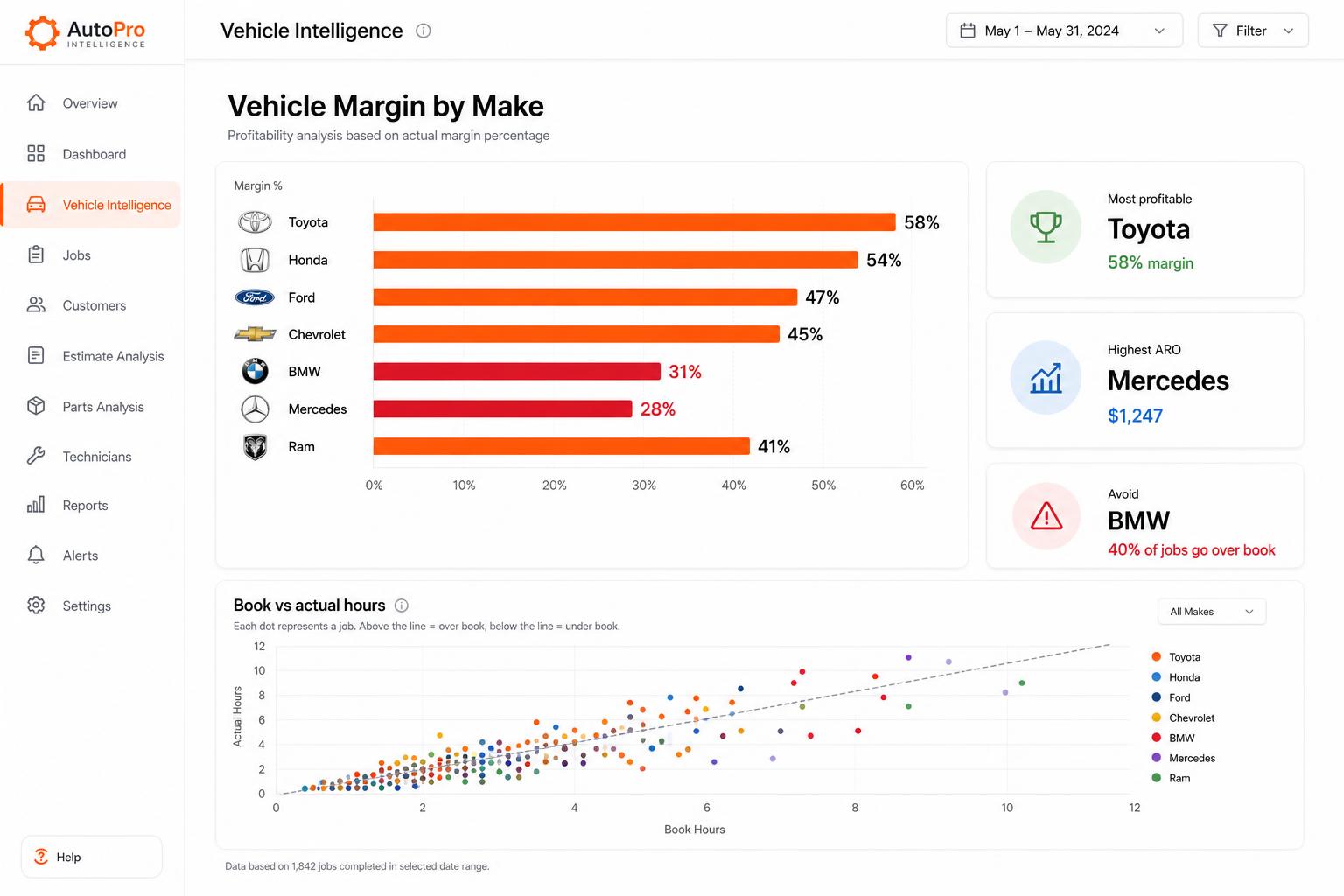
Vehicle Intelligence
See which makes actually make you money. Spot the silent profit-killers before they sink another quarter.
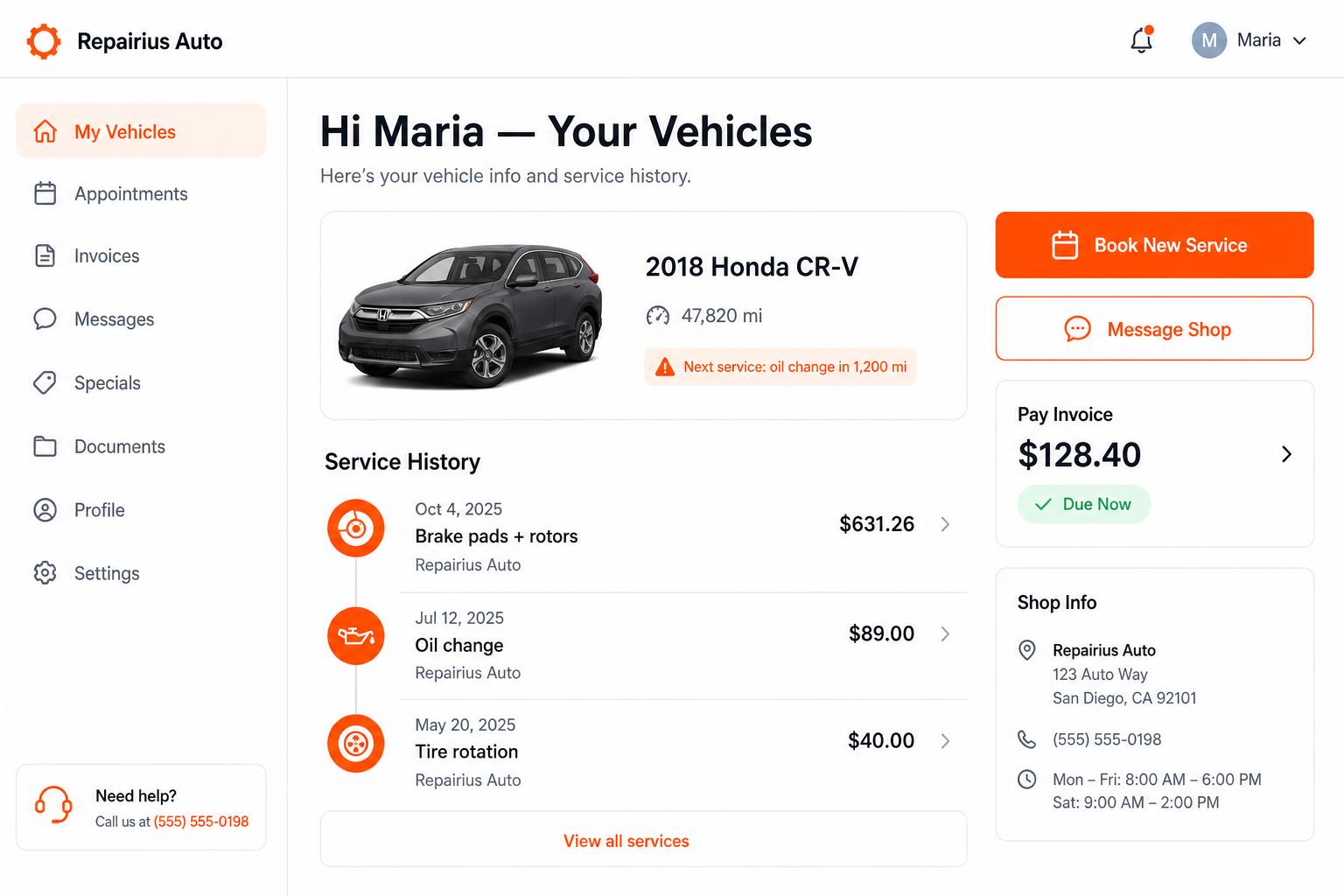
Branded customer portal
Every customer gets their own portal — vehicle history, upcoming service reminders, message the shop, pay invoices. Drives repeat business.
Honest limits
- Repairius does not connect to parts catalogs or order parts from distributors.
- There is no OEM repair-information or wiring-diagram library.
- AI labor times are estimates, not published guide times.
- A directory listing does not guarantee customers.
- Each plan covers one location. Extra-location purchases are not available today.
Questions buyers ask
Can I bring my customer list over?
Yes. You can import records by CSV.
Does it include repair data like wiring diagrams?
No. Use your existing repair-information subscription alongside Repairius.
Can customers approve part of an estimate?
Yes. Estimates can be approved line by line.
Is there a limit on users?
No. Every plan includes unlimited users.
What's the difference between Pro and Business?
Business adds fleet accounts, technician commissions and marketing campaigns. See the pricing page for details.