For retail and commercial tire shops
Tire Shop Software for Tire Jobs, Estimates and Invoices
Tire work is high volume and low margin, so every mount, balance, valve stem and disposal fee needs to make it onto the bill. Repairius keeps the customer, vehicle, tire sizes, photos and the itemized invoice on one job.
Repairius Pro is $99.99/month with unlimited users. Start with a 14-day trial — a card is required, and no subscription charge happens until the trial ends.
How a tire job runs in Repairius
Step 1
Book or walk in the customer
Create the job with the customer, phone number and vehicle, or accept a request from your directory listing.
Step 2
Record tire size and condition
Note the size, position and tread depth you measured, with photos of damage or wear.
Step 3
Build the estimate
Add tires, mounting, balancing, valve stems, TPMS service and disposal as separate lines.
Step 4
Get the customer's approval
Send the estimate by text or email so the customer approves before work starts.
Step 5
Assign the bay work
Assign the job to a technician, who sees it on a phone or shop computer.
Step 6
Invoice and get paid
Turn the approved estimate into an invoice and collect by card online, or record cash or check.
Illustrative workflow: four tires and a flat repair
This is an illustrative example, not a real customer case. A customer comes in with a nail in one tire and worn tread on all four.
- The counter opens a job with the customer and their SUV.
- The tech records tread depth on each tire and photographs the nail.
- The estimate offers a patch for the one tire, or four new tires with mount, balance and disposal.
- The customer approves four tires by text.
- The invoice lists each charge separately and is paid by card.
Buyer checklist
- ✓Tire size, position and tread notes on each job
- ✓Separate lines for mount, balance, TPMS and disposal
- ✓Customer approval before work starts
- ✓Damage and wear photos the customer can see
- ✓Card payments plus recorded cash and check
What it looks like in the app
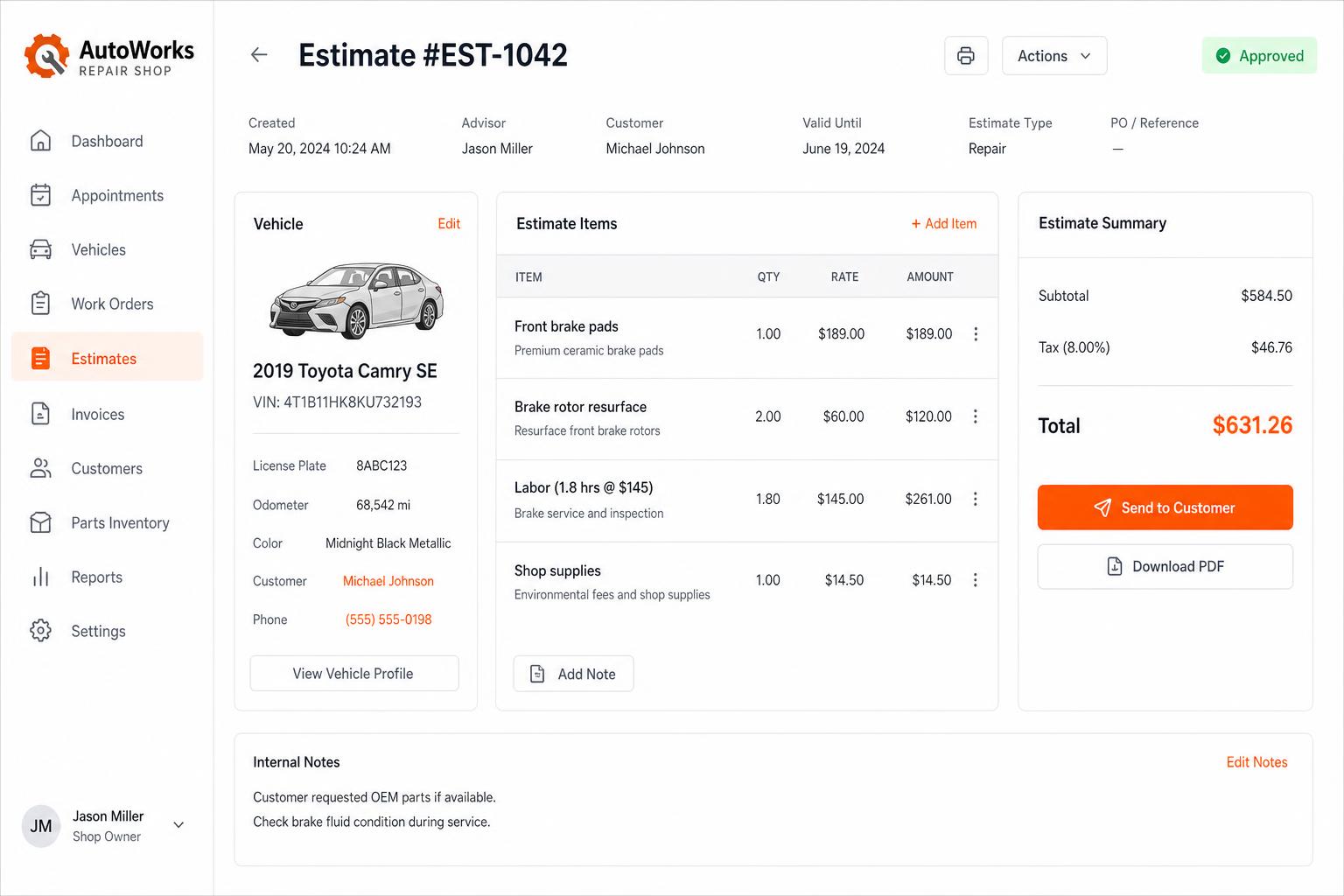
Estimates that close themselves
Build line-itemized estimates with parts, labor, tax, and shop supplies. Send via SMS or email — customers approve in one tap.
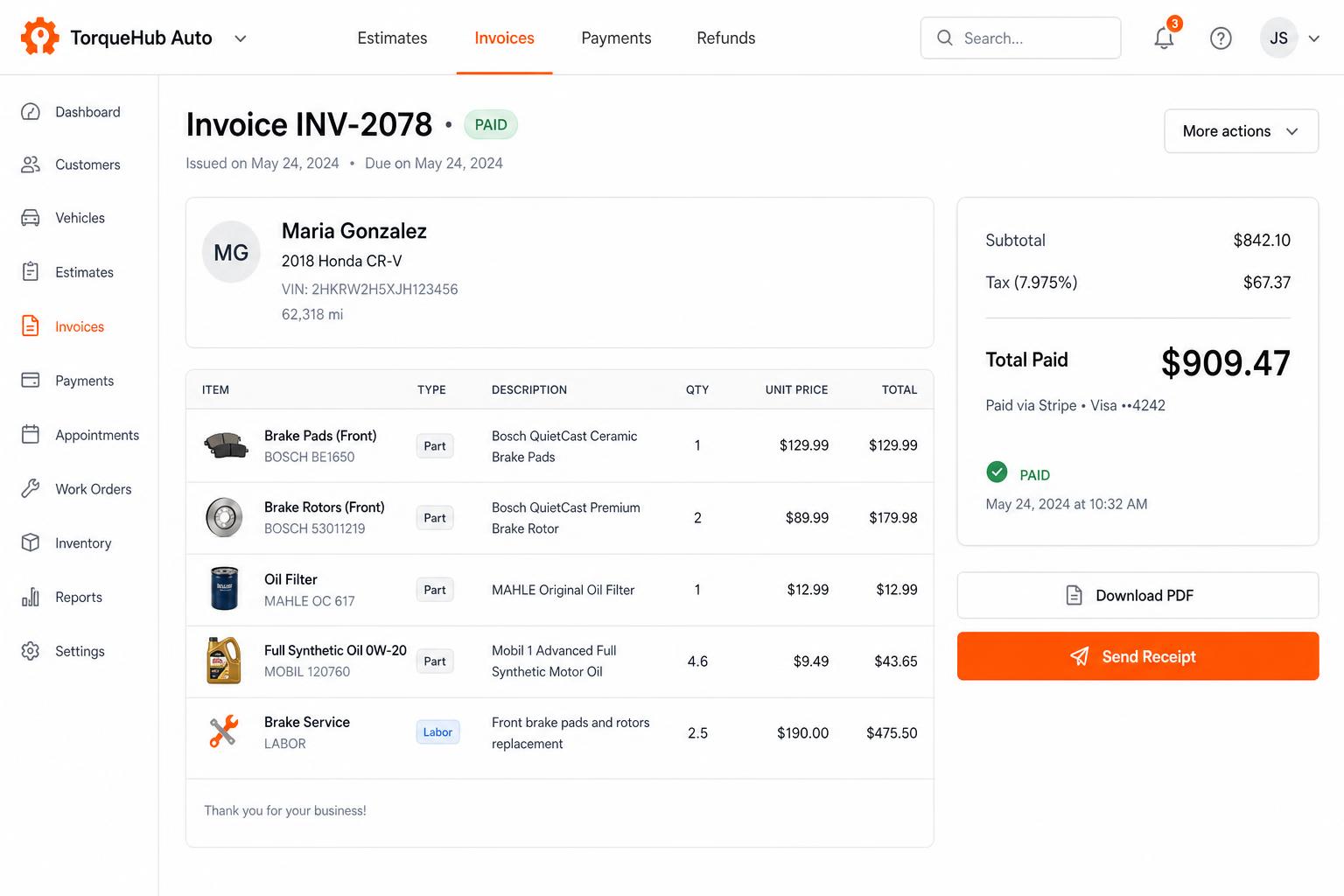
Invoicing + payments, built in
Convert estimates into invoices, collect card payments via Stripe, send PDF receipts. No third-party billing software.
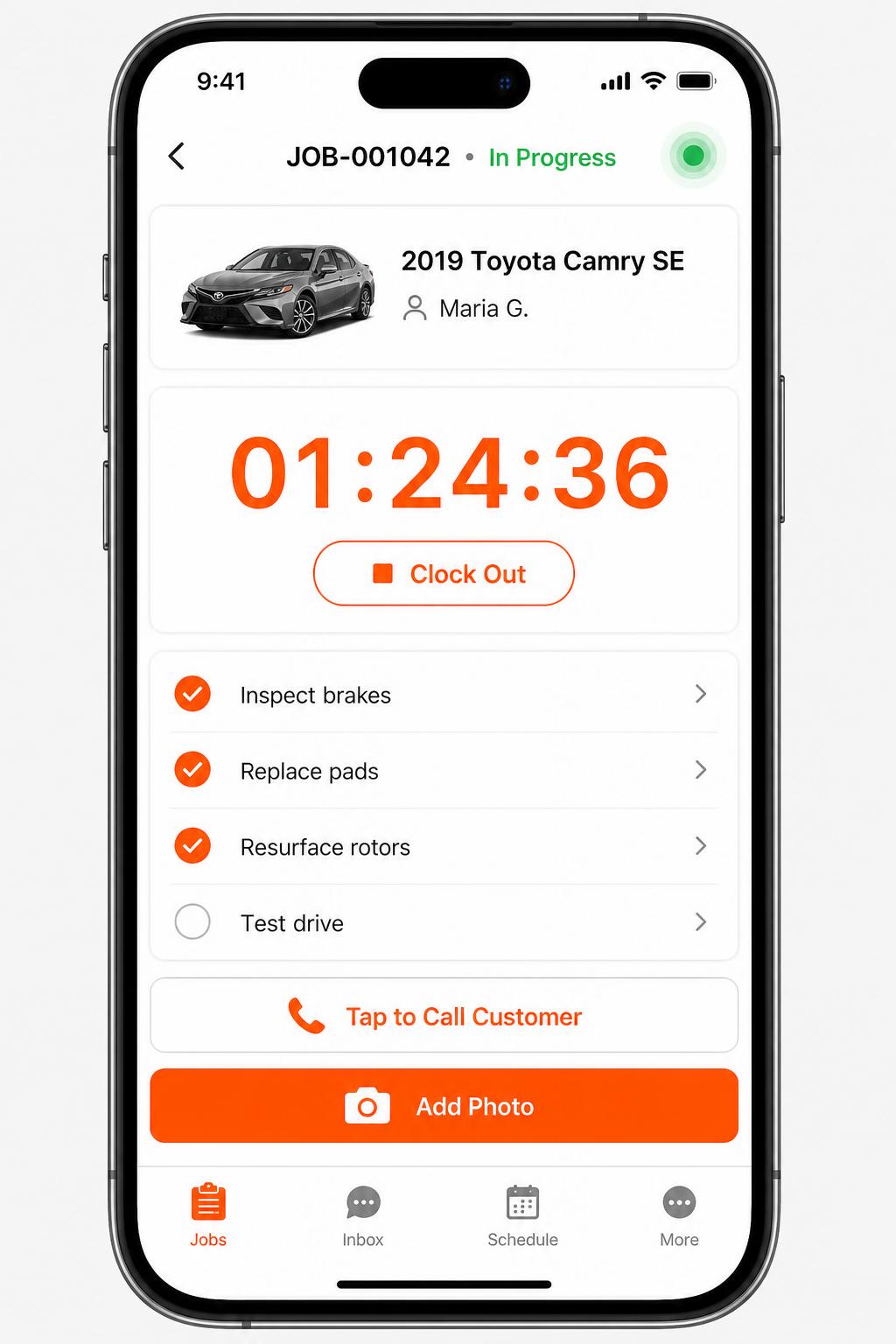
Mobile app for technicians
iOS + Android apps for every tech and driver. Clock in/out, complete checklists, snap photos, message customers — without leaving the bay.

Branded customer portal
Every customer gets their own portal — vehicle history, upcoming service reminders, message the shop, pay invoices. Drives repeat business.
Honest limits
- Repairius does not connect to tire distributor catalogs or order tires for you.
- There is no tire fitment lookup by vehicle; your team confirms the right size.
- Inventory tracking is basic and uses custom fields, not a dedicated tire warehouse system.
- A directory listing does not guarantee customers or call volume.
- Each plan covers one location. Extra-location purchases are not available today.
Questions buyers ask
Can I charge disposal and TPMS service separately?
Yes. Each estimate and invoice can list tires, labor and every fee as its own line.
Does it look up the right tire size for a car?
No. Your team records the size. Repairius doesn't include a fitment database.
Can I track tires in stock?
Yes, with basic inventory and custom fields. It isn't a full distributor-connected inventory system.
Do customers approve online?
Yes. They get the estimate by text or email and approve it from their phone.
How many users can I add?
Every plan includes unlimited users.