For shops and mobile mechanics
Mechanic Scheduling Software for Appointments and Techs
Double-booked bays and forgotten appointments cost real money. Repairius puts appointments, technician assignments and customer reminders on the same calendar as the jobs themselves.
Repairius Pro is $99.99/month with unlimited users. Start with a 14-day trial — a card is required, and no subscription charge happens until the trial ends.
How scheduling runs in Repairius
Step 1
Take the booking
Add an appointment from a call, or accept a request from your directory listing.
Step 2
Pick the time and tech
Place it on the calendar and assign the technician who will do it.
Step 3
Confirm with the customer
Send a confirmation by text or email.
Step 4
Remind before the visit
Customers get a reminder ahead of the appointment.
Step 5
Turn it into a job
When the customer arrives, the appointment becomes the job with estimate and photos.
Step 6
Reschedule when plans change
Move the appointment and the customer is updated.
Illustrative workflow: a busy Monday
This is an illustrative example, not a real customer case. A three-tech shop has a full Monday and a last-minute request.
- The calendar shows every tech booked until 2 PM.
- A customer asks for an oil change; it's booked at 2:30 with the next free tech.
- The customer gets a confirmation and a reminder.
- On arrival the appointment becomes a job.
- A no-show slot is moved to Tuesday with one update.
Buyer checklist
- ✓One calendar for appointments and jobs
- ✓Technician assignment per appointment
- ✓Confirmations and reminders
- ✓Appointment-to-job conversion
- ✓Easy rescheduling
What it looks like in the app
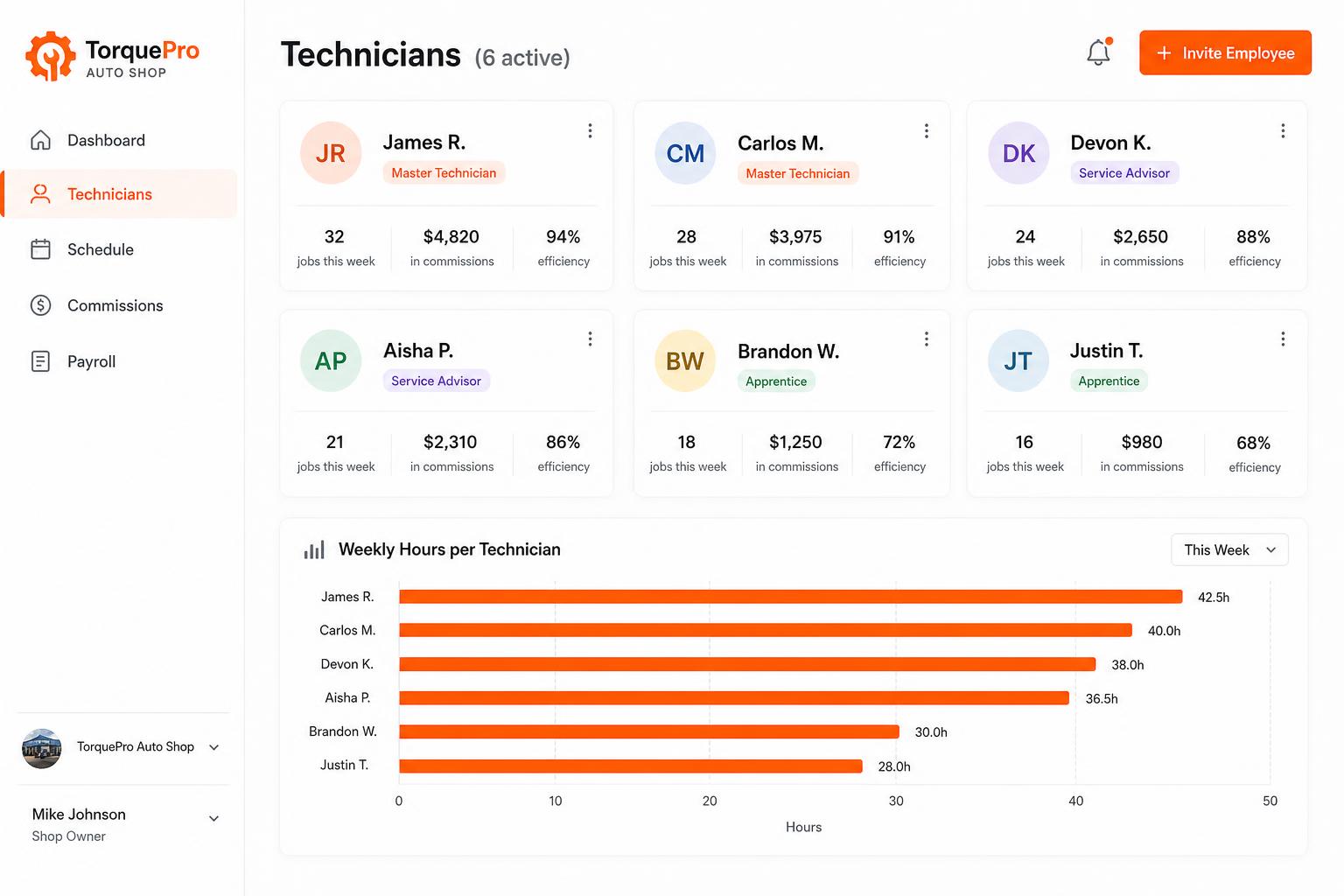
Employee management portal
Track every tech: jobs completed, commissions, efficiency, payroll-ready hours. Invite unlimited employees on every plan.
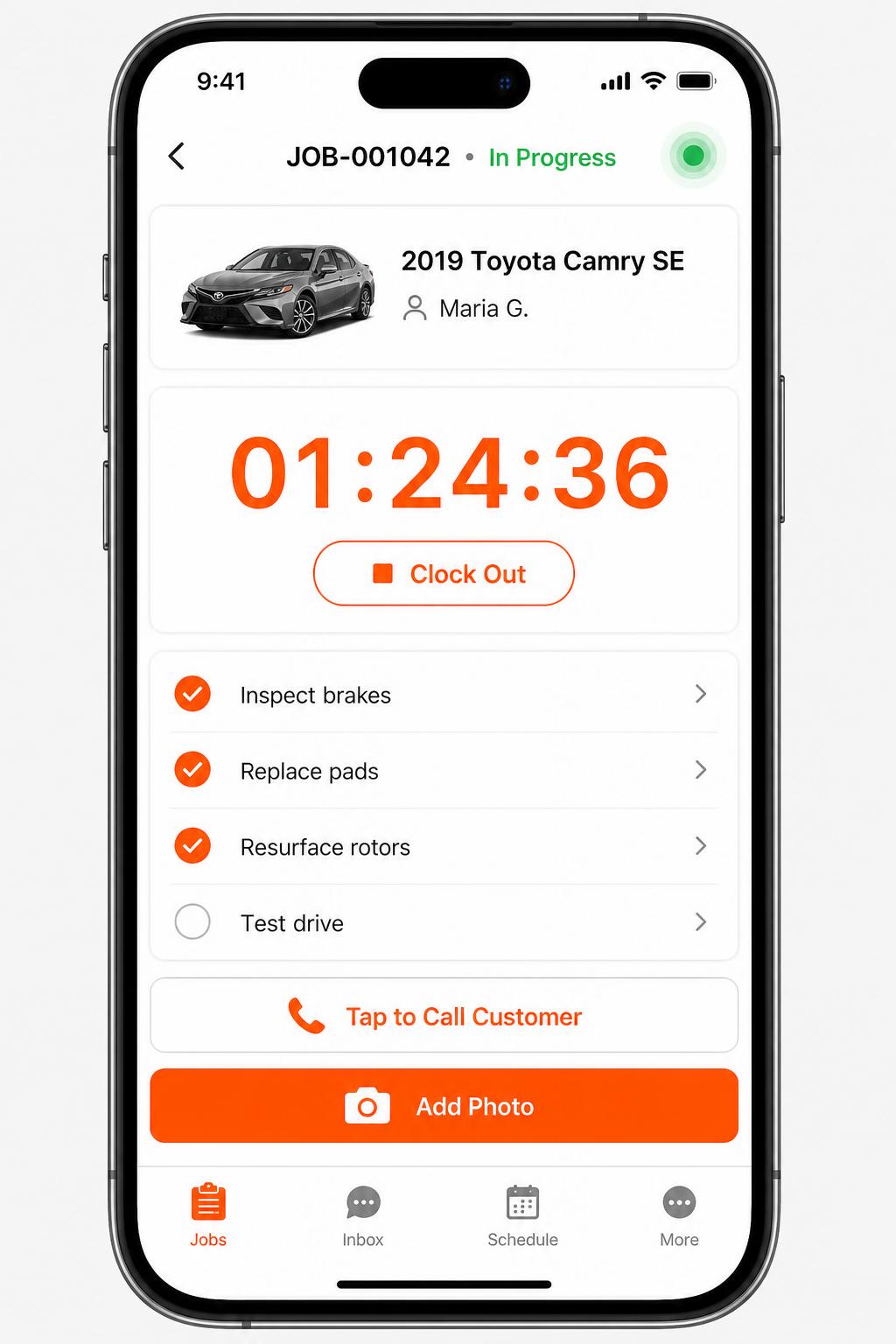
Mobile app for technicians
iOS + Android apps for every tech and driver. Clock in/out, complete checklists, snap photos, message customers — without leaving the bay.
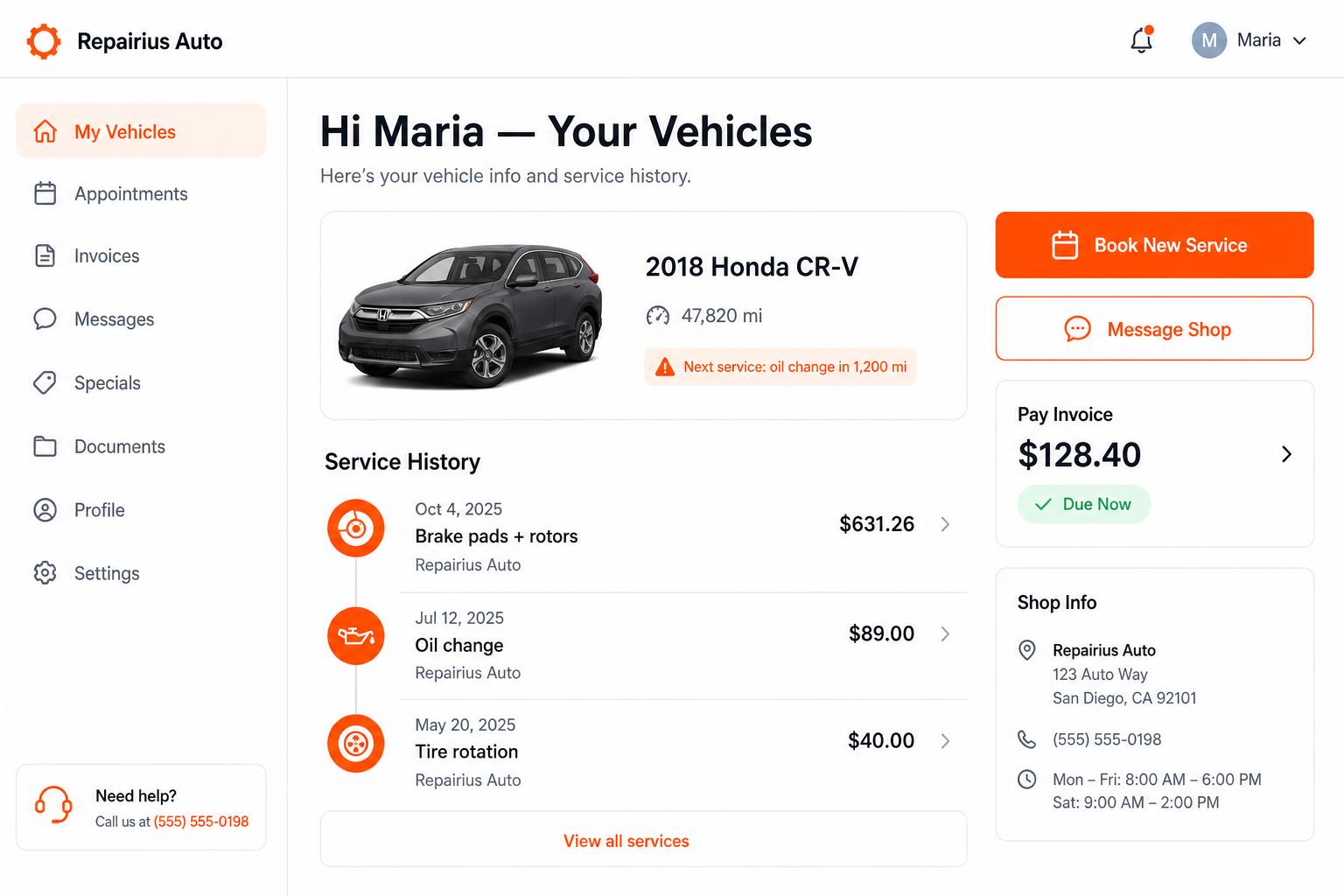
Branded customer portal
Every customer gets their own portal — vehicle history, upcoming service reminders, message the shop, pay invoices. Drives repeat business.
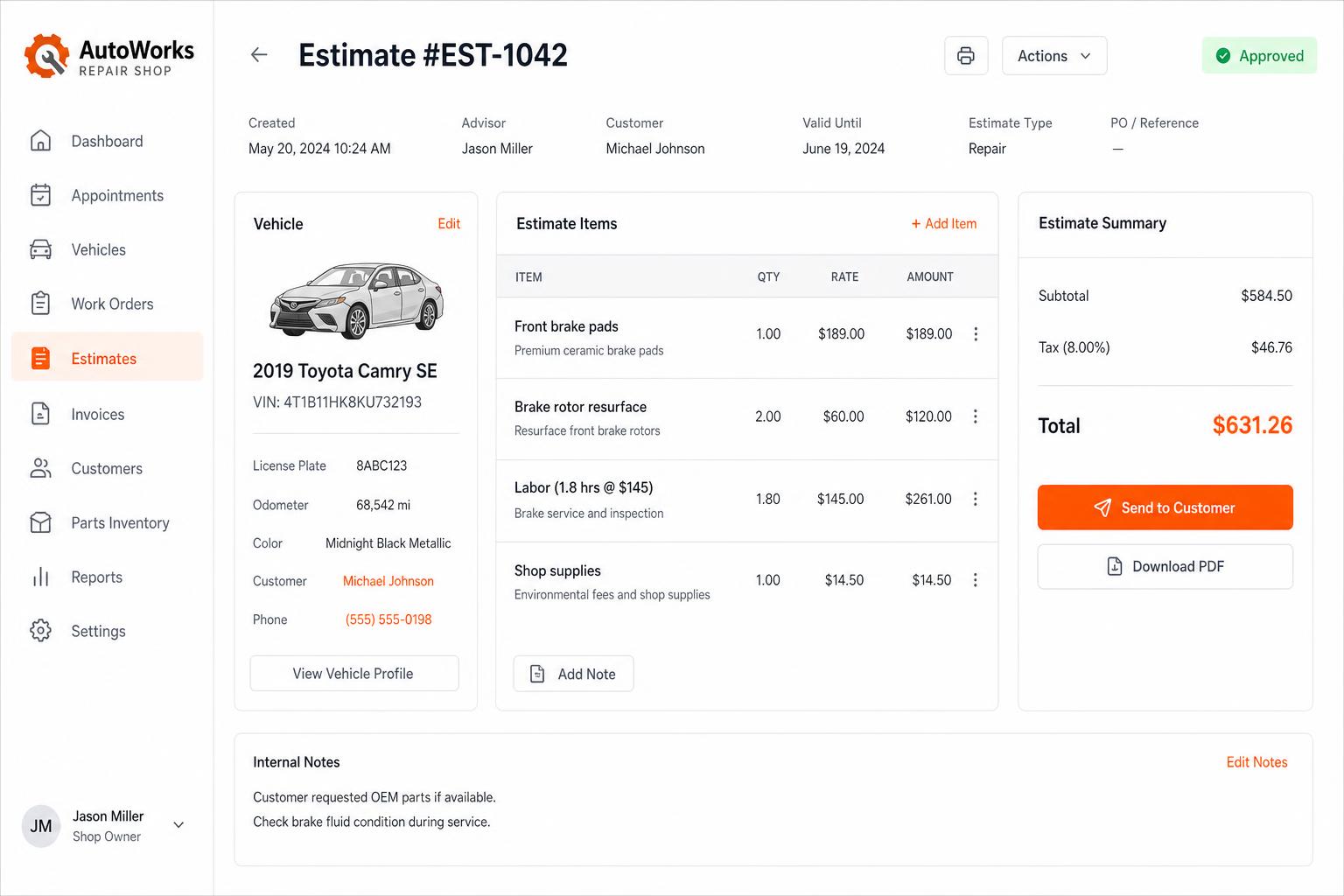
Estimates that close themselves
Build line-itemized estimates with parts, labor, tax, and shop supplies. Send via SMS or email — customers approve in one tap.
Honest limits
- Repairius does not automatically optimize routes or schedules.
- There is no live GPS tracking for mobile techs.
- Calendar sync with outside calendars should be confirmed during your trial.
- A directory listing does not guarantee bookings.
- Each plan covers one location. Extra-location purchases are not available today.
Questions buyers ask
Can customers request appointments online?
Yes, through your directory listing and booking requests. You confirm the time.
Does it send reminders?
Yes, customers can get confirmations and reminders.
Can I schedule by technician?
Yes. Each appointment can be assigned to a tech.
Does it auto-schedule for me?
No. Your team chooses times and techs.
Does it work for mobile mechanics?
Yes. Appointments can carry the customer's address.