For heavy-duty, diesel and fleet repair shops
Get Found by Drivers and Fleets, Then Run Your Truck Shop in One Place
Start with a free shop page drivers and fleet managers can find, plus free service requests. Add review requests, reminders and follow-ups, then run work orders, estimates and invoices when you're ready. No software switch required to get started.
Repairius Pro is $99.99/month with unlimited users. Start with a 14-day trial — a card is required, and no subscription charge happens until the trial ends.
1
Get listed — free
- ✓Free verified shop page and basic website that shows up in search
- ✓Seen by owner-operators and fleets looking for truck repair nearby
- ✓Already in our directory? Claim your page in minutes
2
Get work
- ✓Free service and breakdown requests straight to your shop
- ✓A booking link for Google, social and your trucks' decals
- ✓No per-lead fees or commissions on requests
3
Marketing built in
- ✓Review requests after completed jobs
- ✓Reminders and status texts for drivers and fleet managers
- ✓Follow-ups from unit history — included in the subscription, no separate marketing add-on
4
Manage the workflow
- ✓Work orders, unit history and photo inspections
- ✓Text-approved estimates and tech time tracking
- ✓Invoices with online card payments, unlimited users
How a truck job runs in Repairius
Step 1
Check the unit in
Open a job against the customer and unit. Repeat trucks keep their repair history, so you can see what was done last time.
Step 2
Inspect and document
Techs add notes and photos from a phone or tablet browser, so the owner or fleet manager can see why work is needed.
Step 3
Estimate parts and labor
Add parts, labor, tax and shop supplies as line items. The AI labor estimator gives a starting point you review and set.
Step 4
Get approval by text
Send the estimate by text or email. The customer approves from the link, with no phone tag.
Step 5
Track parts and labor
Track parts on the work order and send parts requests to participating vendors. Techs clock time so real labor cost is recorded.
Step 6
Invoice and get paid
Turn approved lines into an invoice, send a PDF and collect card payment online. Job cost reports show your margin.
What it looks like in the app
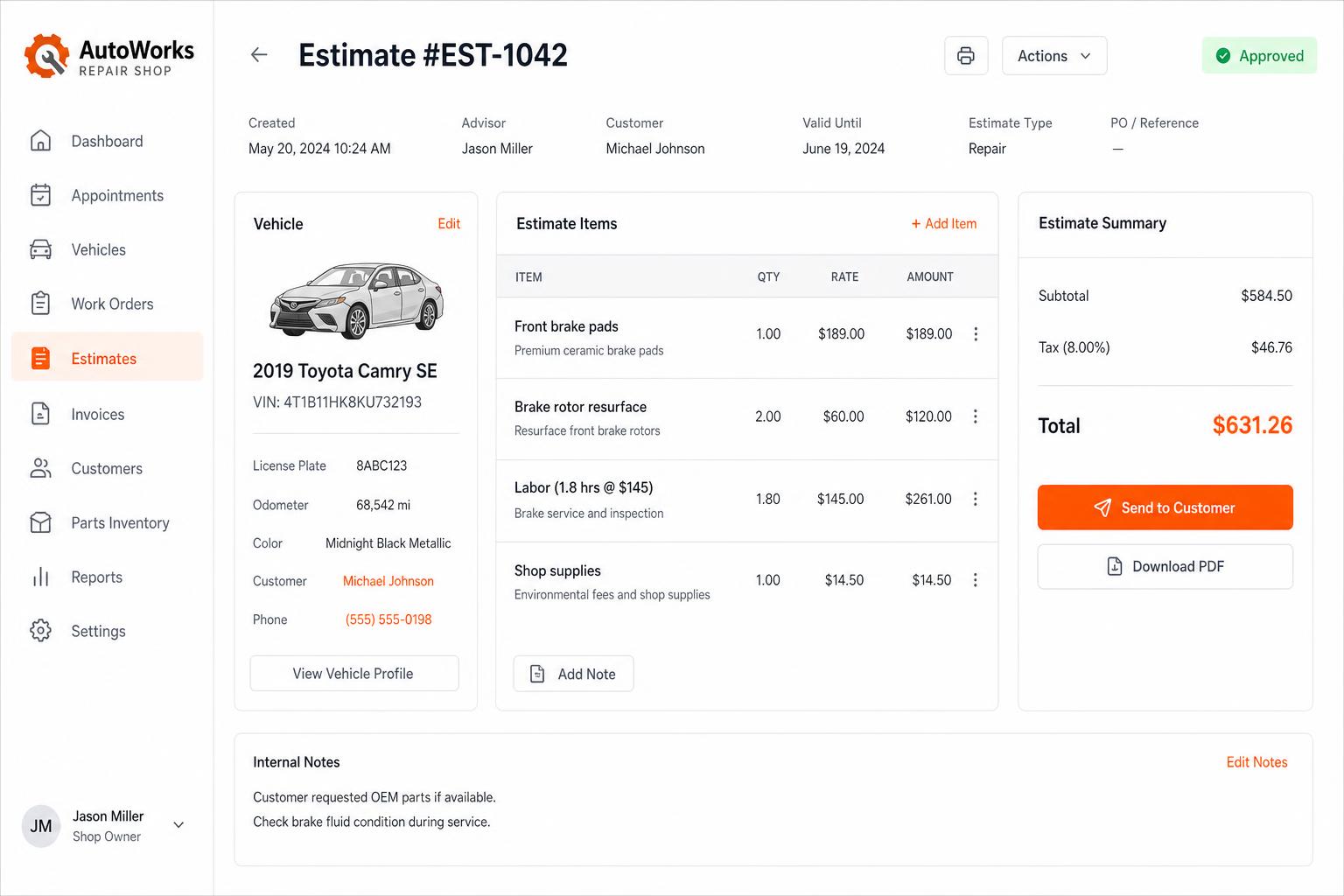
Estimates that close themselves
Build line-itemized estimates with parts, labor, tax, and shop supplies. Send via SMS or email — customers approve in one tap.
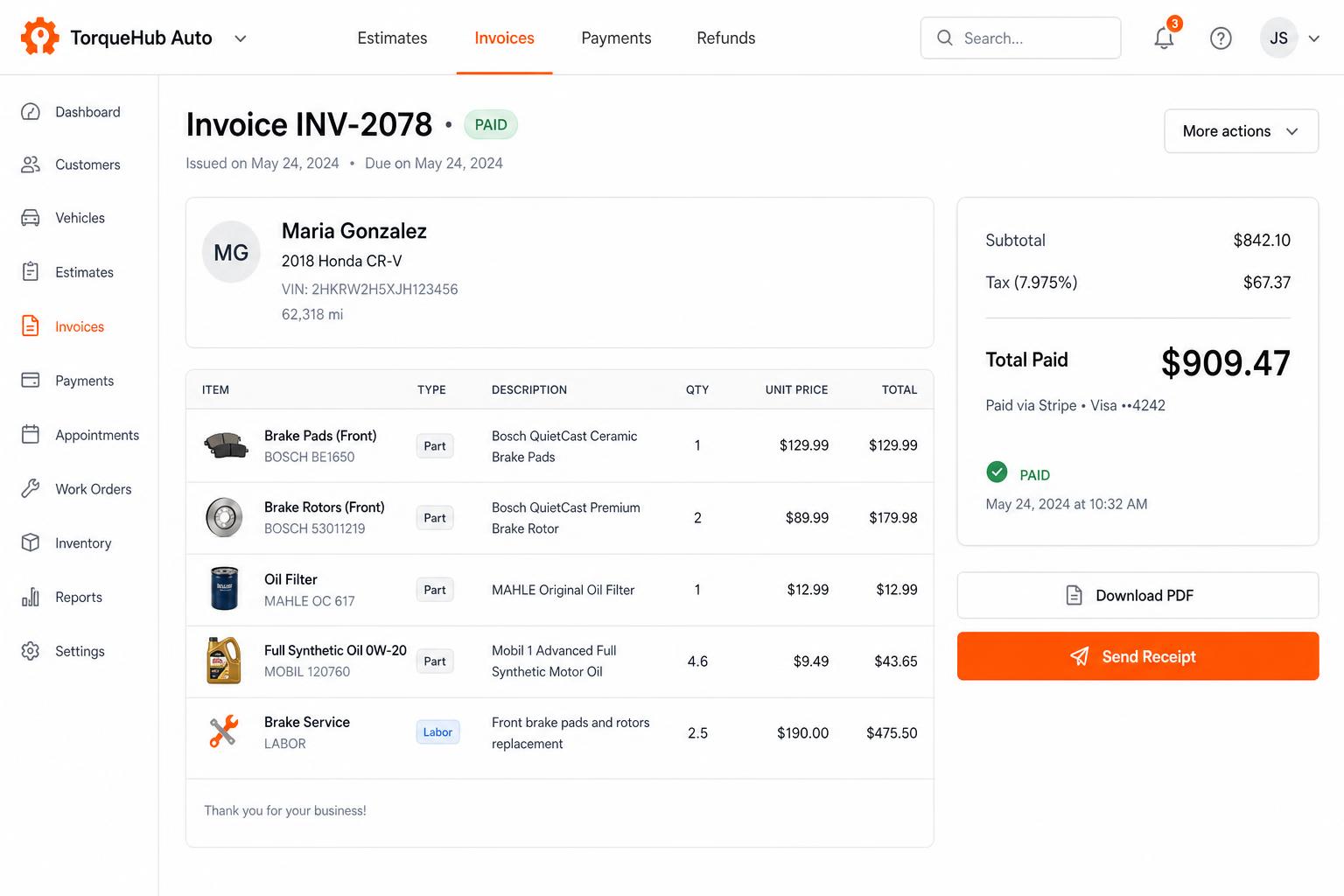
Invoicing + payments, built in
Convert estimates into invoices, collect card payments via Stripe, send PDF receipts. No third-party billing software.
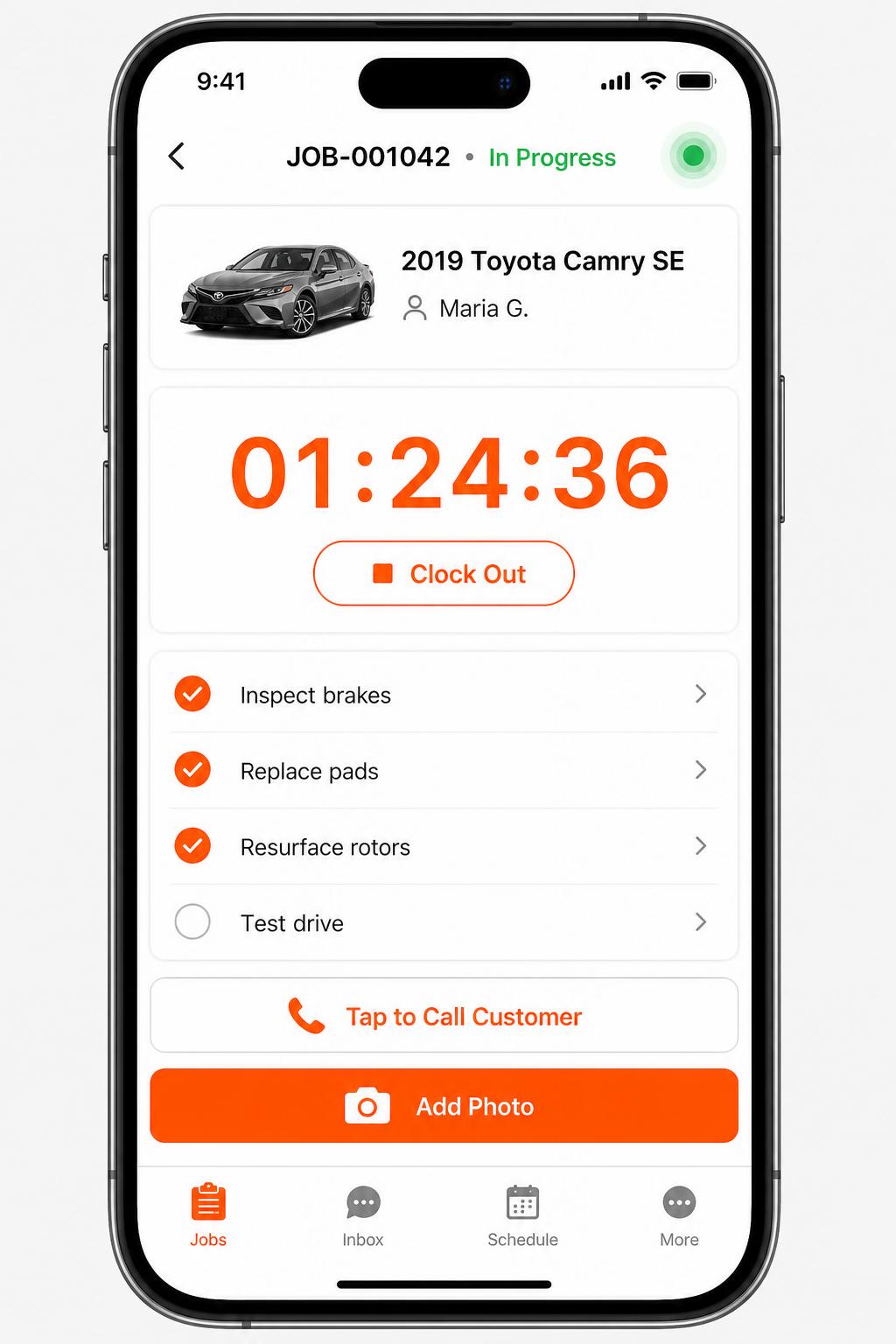
Mobile app for technicians
iOS + Android apps for every tech and driver. Clock in/out, complete checklists, snap photos, message customers — without leaving the bay.
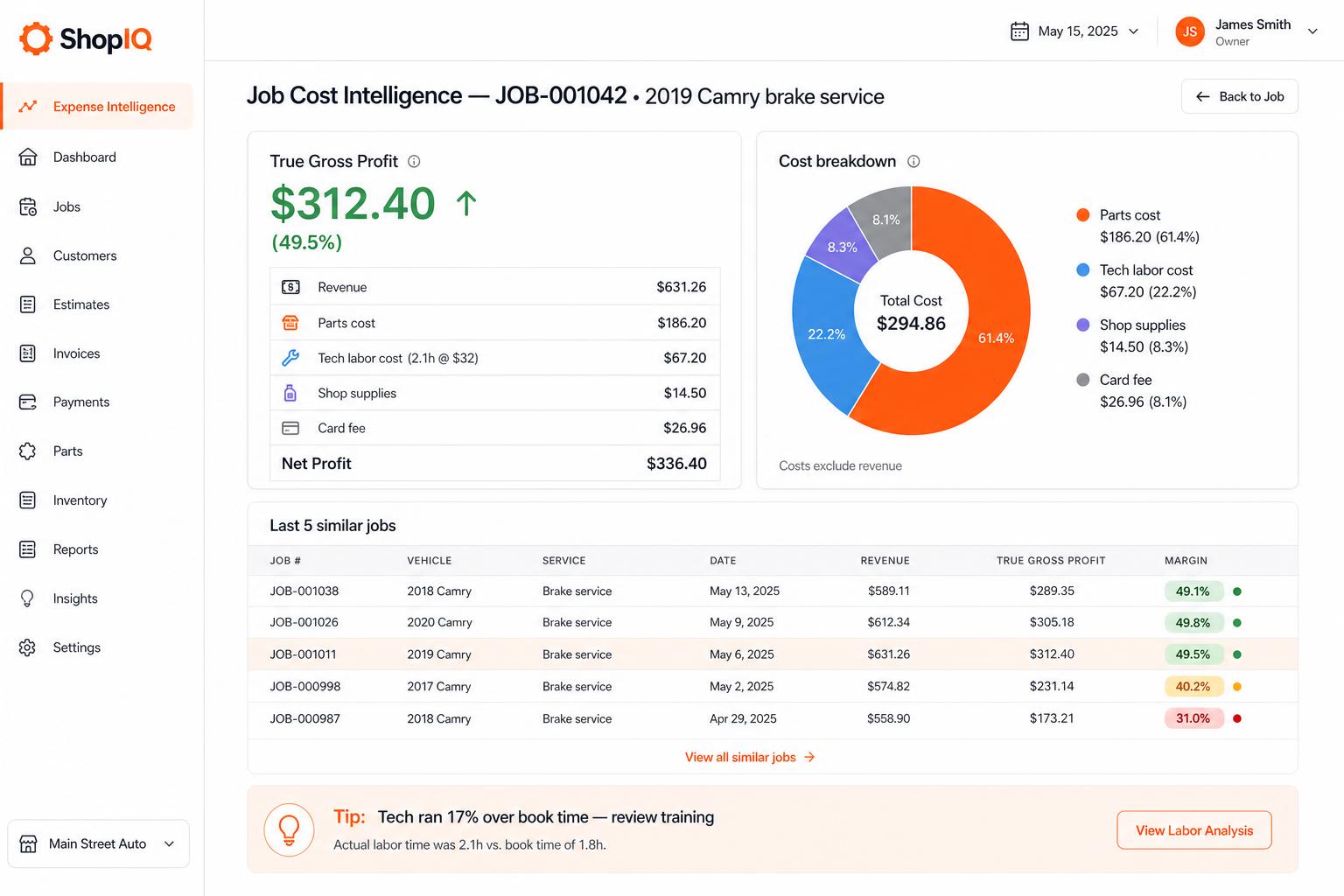
Expense + Job Cost Intelligence
True gross profit per job: revenue, parts, tech labor cost (from the actual timer), supplies, card fees. Stop guessing margin.
Honest limits
- Repairius runs in any phone, tablet or computer browser. Native app availability varies by platform.
- Parts vendor coverage varies by area. Keep your existing suppliers; there is no licensed parts catalog or live vendor pricing.
- Labor suggestions are AI estimates, not OEM or published labor-guide times.
- Each plan covers one location. Extra-location purchases are not available today.
Questions buyers ask
How many techs and service writers can I add?
As many as you need. Every Repairius plan includes unlimited users.
Can I bring my customers and units over?
Yes. You can import customers and vehicles from a CSV export of your current system.
Does it handle Class 6–8 trucks and trailers?
Yes. Jobs, estimates and history work for trucks, trailers and equipment, not just cars.
Do I need a demo first?
No. Start the trial yourself. Book a live demo only if you want a walkthrough.