For mobile diesel mechanics and truck tire services
Heavy-Duty Roadside Assistance Software for Diesel Service Calls
A commercial breakdown call needs the right unit numbers, a usable location, the fleet's approval and a detailed invoice the fleet will pay. Repairius keeps each diesel service call on one job, from the first call to the commercial invoice.
Repairius Pro is $99.99/month with unlimited users. Start with a 14-day trial — a card is required, and no subscription charge happens until the trial ends.
How a diesel breakdown call runs in Repairius
Step 1
Identify the tractor and trailer
Record the fleet, unit numbers, VIN if available, driver contact and the reported problem.
Step 2
Record breakdown location and access
Add the truck stop, mile marker or yard address, parking position and access notes.
Step 3
Assess the service needed
Your qualified technician notes the likely repair, parts or tires needed. Repairius records it; it does not diagnose.
Step 4
Get fleet authorization
Send an estimate to the fleet or record the approver's name and any PO number on the job.
Step 5
Document the field repair
The technician logs work performed, parts used, time and photos from a phone browser.
Step 6
Send the commercial invoice
Itemize labor, parts, service call and mileage, then send it to the fleet and collect card payment online or record other payments.
Illustrative workflow: a no-start truck at a truck stop
This is an illustrative example, not a real customer case. A fleet dispatcher reports a tractor that won't start at a truck stop.
- The office opens a job with the fleet, tractor unit number, driver phone and the truck stop address and parking row.
- The mechanic calls the driver and notes the likely cause is a battery or starter problem.
- An estimate for the service call and diagnosis goes to the fleet, and the approver and PO number are recorded.
- On site, the mechanic logs the batteries replaced, labor time and photos.
- The itemized invoice with the PO number goes to the fleet by email.
Buyer checklist
- ✓Fleet, unit number and driver details on every call
- ✓Clear breakdown location and access notes
- ✓Fleet authorization and PO tracking
- ✓Parts, labor and photo documentation from the field
- ✓Itemized commercial invoices
What it looks like in the app
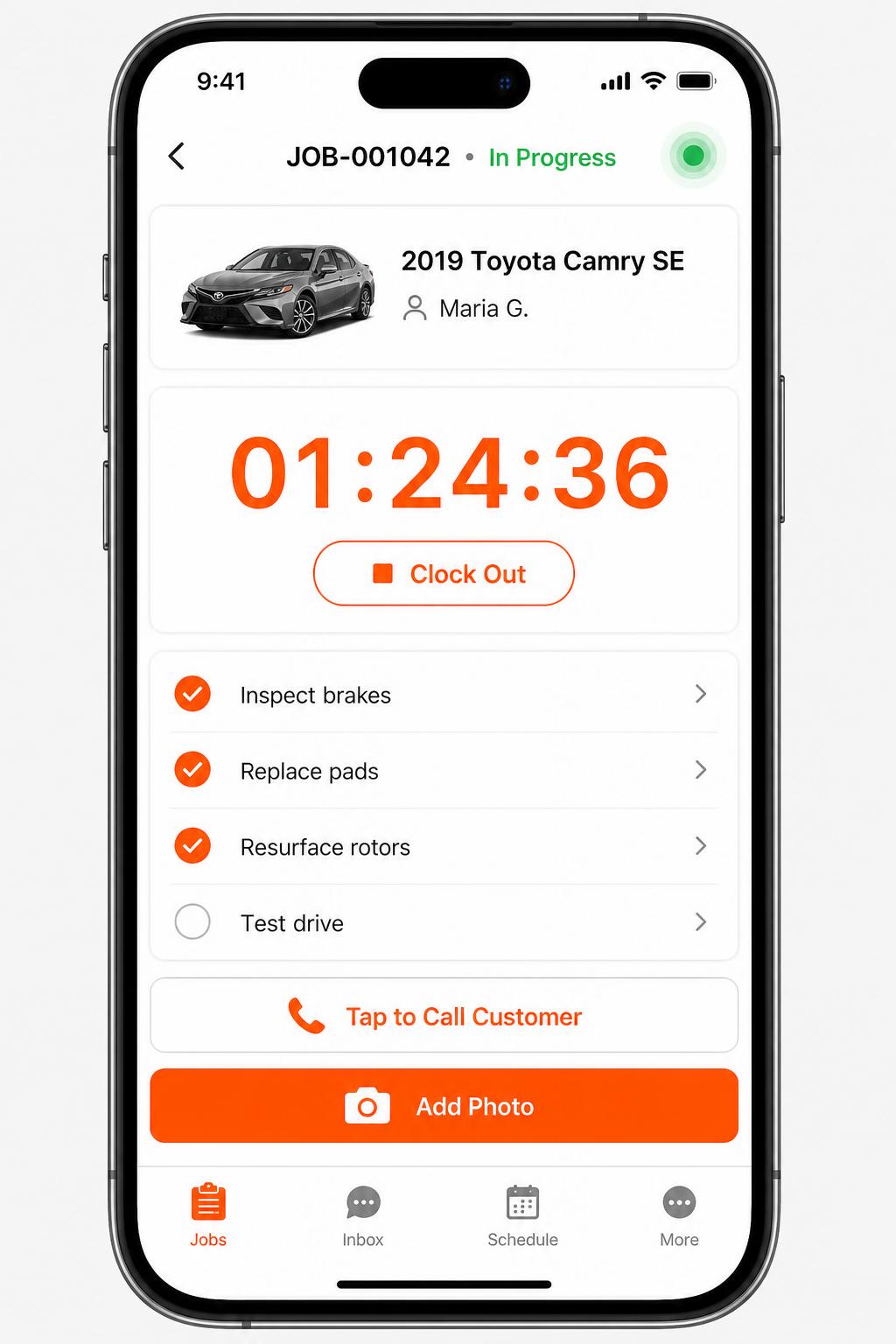
Mobile app for technicians
iOS + Android apps for every tech and driver. Clock in/out, complete checklists, snap photos, message customers — without leaving the bay.
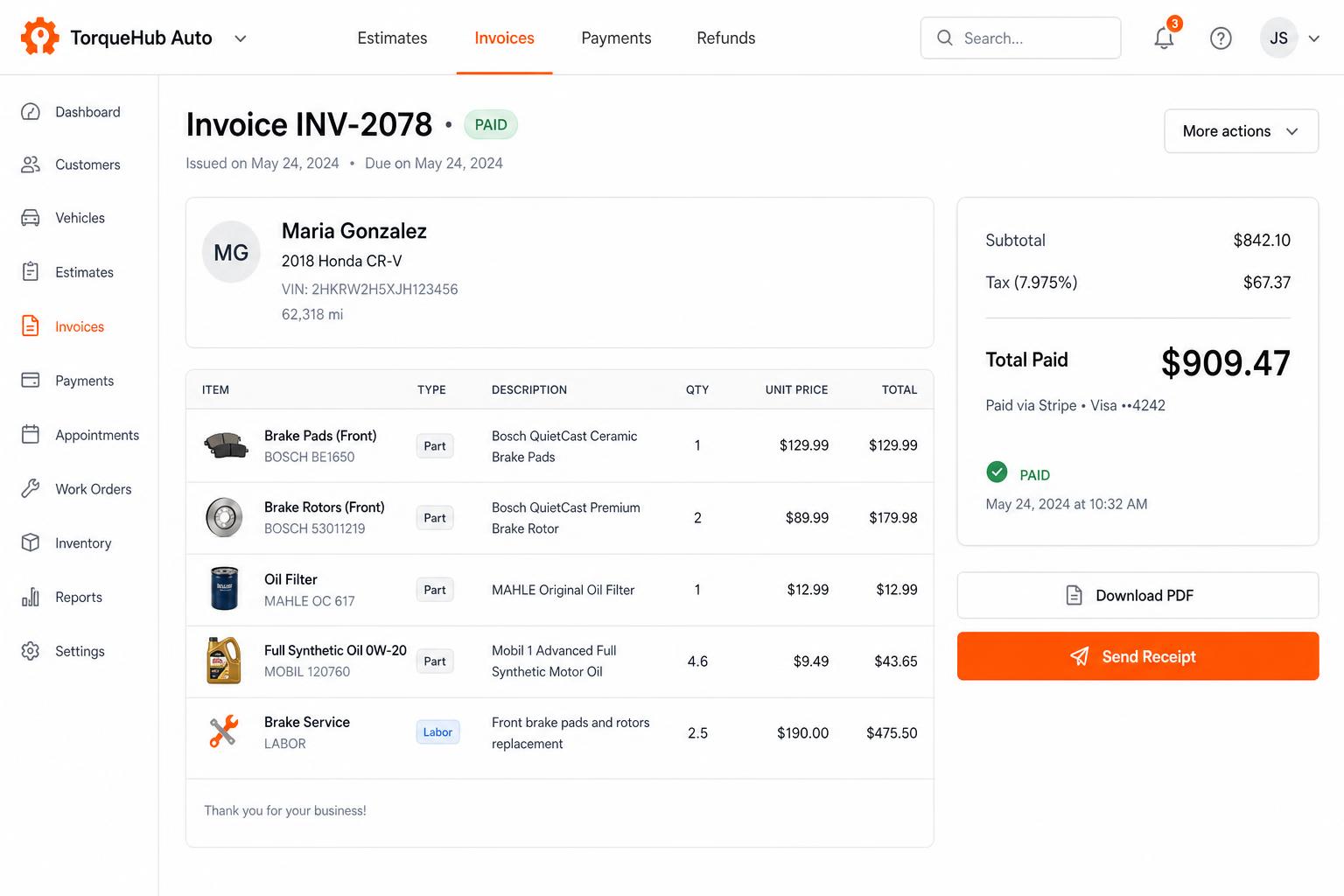
Invoicing + payments, built in
Convert estimates into invoices, collect card payments via Stripe, send PDF receipts. No third-party billing software.
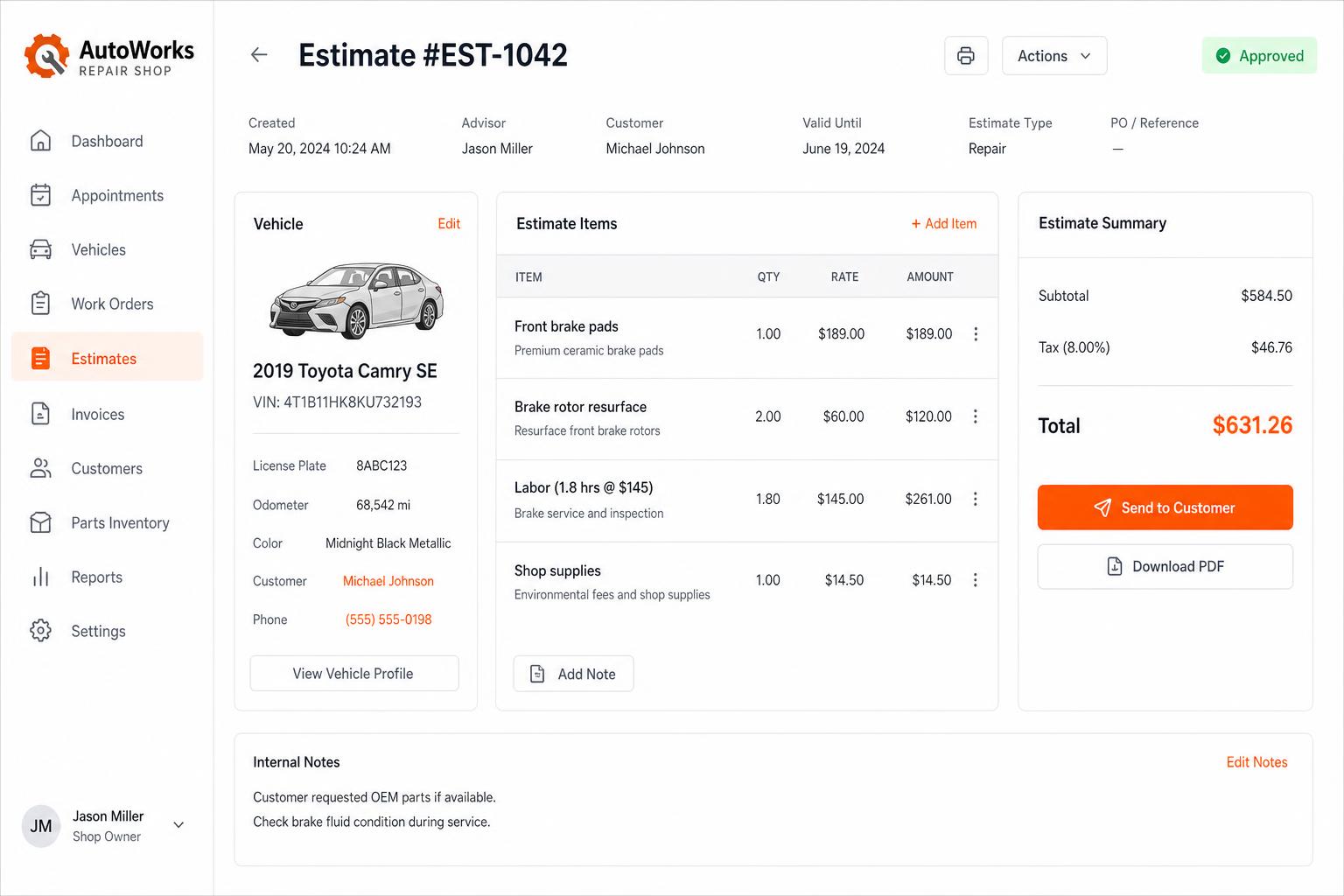
Estimates that close themselves
Build line-itemized estimates with parts, labor, tax, and shop supplies. Send via SMS or email — customers approve in one tap.
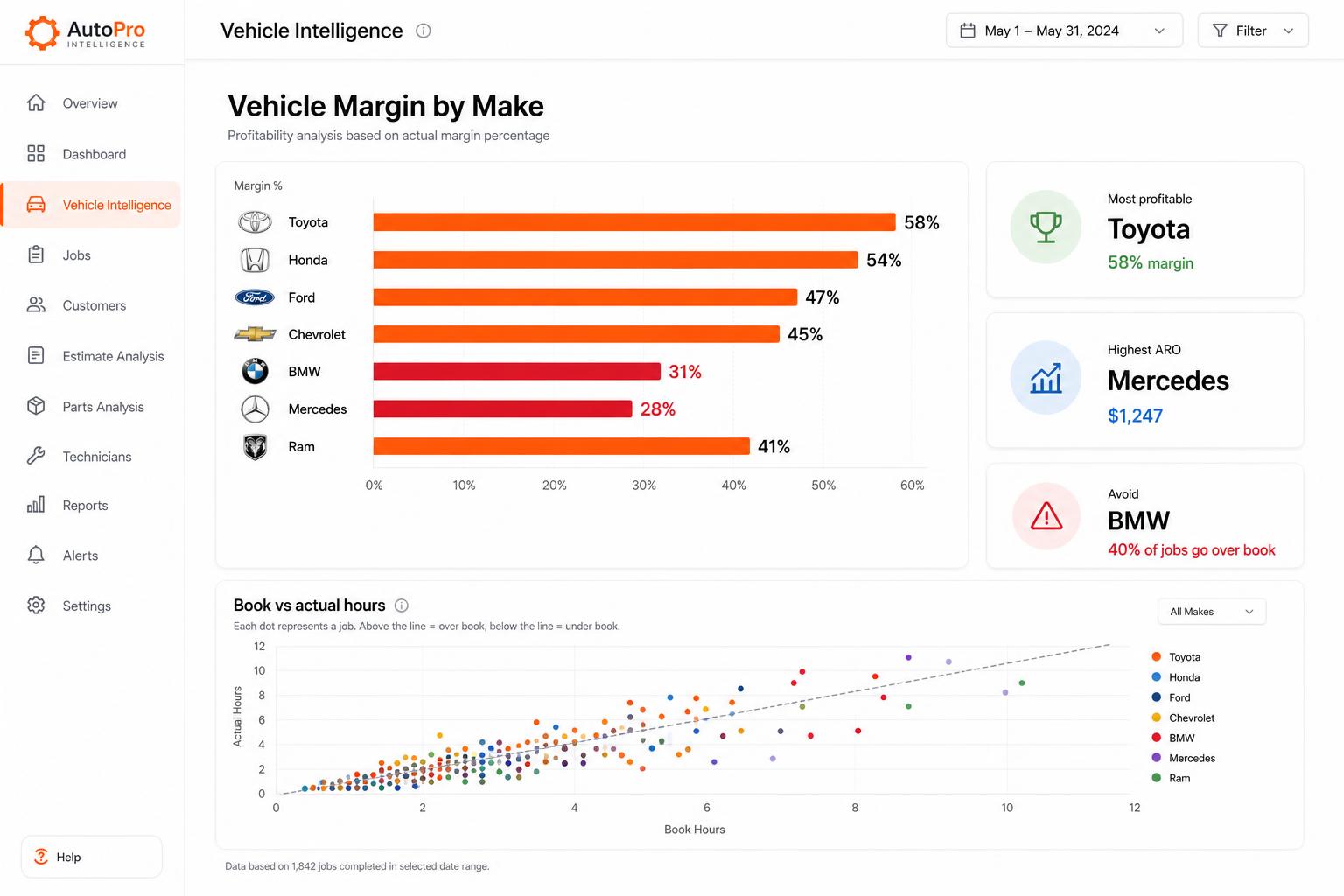
Vehicle Intelligence
See which makes actually make you money. Spot the silent profit-killers before they sink another quarter.
Honest limits
- There is no automatic FleetNet or Decisiv integration; those jobs are entered manually.
- Repairius does not process Comcheck or EFS payments.
- It does not provide OEM diagnostic software or regulatory certification.
- It does not guarantee response times, track trucks by GPS or guarantee leads.
- Each plan covers one location. Extra-location purchases are not available today.
Questions buyers ask
Can I bill a fleet instead of the driver?
Yes. The fleet can be the customer on the job, with the approver and PO number recorded, and the invoice goes to the fleet.
Does Repairius diagnose the truck?
No. Your technician makes the diagnosis. Repairius records the findings, the work and the parts used.
Can I track tires and parts used on the road?
Yes. Parts and tires can be listed on the invoice so the fleet sees exactly what was installed.
Does it connect to FleetNet or Decisiv?
No. You can record those jobs manually, but there is no automatic connection.
Do I need a demo before I start?
No. Start the 14-day trial yourself, or book a demo if you want a walkthrough.