For heavy wreckers and commercial recovery operators
Heavy-Duty Towing Software for Commercial Recovery Records
Heavy-duty recovery is not routine towing. Jobs involve tractor-trailer configurations, scene conditions, authorizations and scope changes that customers, fleets and insurers expect to see documented. Repairius keeps that record and turns it into a clear, detailed invoice.
Repairius Pro is $99.99/month with unlimited users. Start with a 14-day trial — a card is required, and no subscription charge happens until the trial ends.
How a heavy-duty recovery is recorded in Repairius
Step 1
Record the vehicle and incident
Capture the tractor and trailer configuration, approximate weight information, location, access conditions and customer details.
Step 2
Assess operational requirements
Record the authorization and the safety and equipment assessment made by your qualified personnel.
Step 3
Coordinate the response
Note the equipment and team members the recovery operator selected, and assign the job.
Step 4
Document customer authorization
Record the approved work, any scope changes and supporting notes or photos.
Step 5
Track service activity
Log the actual work, equipment used, time on scene and additional services.
Step 6
Invoice and retain records
Present itemized charges and keep the full job record for the customer, fleet or insurer.
Illustrative workflow: a loaded trailer disabled in a yard
This is an illustrative example, not a real customer case. A fleet reports a loaded tractor-trailer disabled in a commercial yard.
- The office records the tractor and trailer units, the load the fleet reports, the yard address and access notes.
- The fleet manager's authorization is recorded on the job.
- The recovery supervisor decides the equipment and crew; the selections are recorded and the job is assigned.
- When the supervisor finds extra work is needed, the scope change is noted and approved by the fleet before it starts.
- Time, equipment and services are logged with photos, and the itemized invoice goes to the fleet.
Buyer checklist
- ✓Commercial vehicle and configuration information
- ✓Scene conditions and equipment requirements
- ✓Authorization and scope-change records
- ✓Service documentation with notes and photos
- ✓Detailed, itemized invoicing
What it looks like in the app
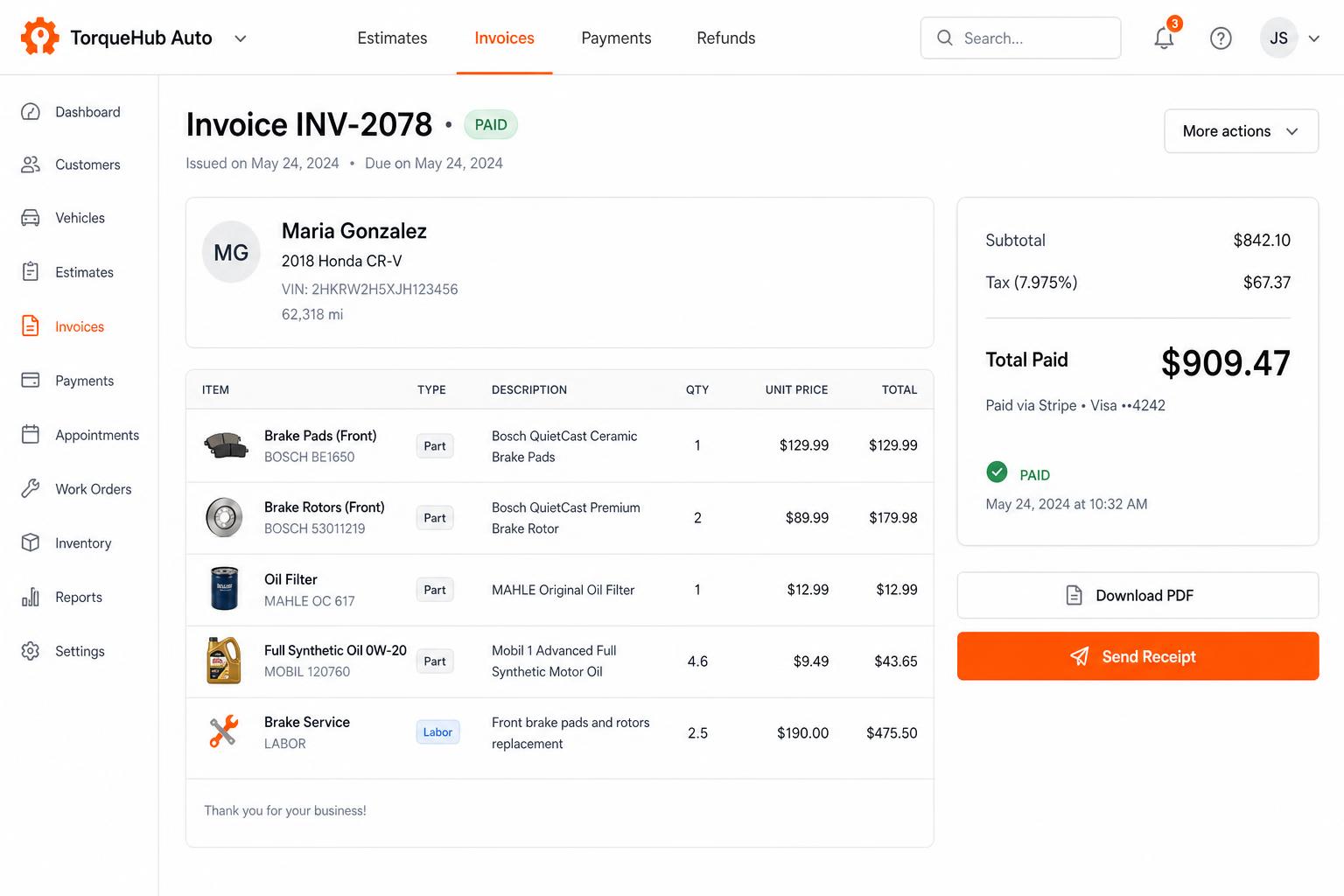
Invoicing + payments, built in
Convert estimates into invoices, collect card payments via Stripe, send PDF receipts. No third-party billing software.
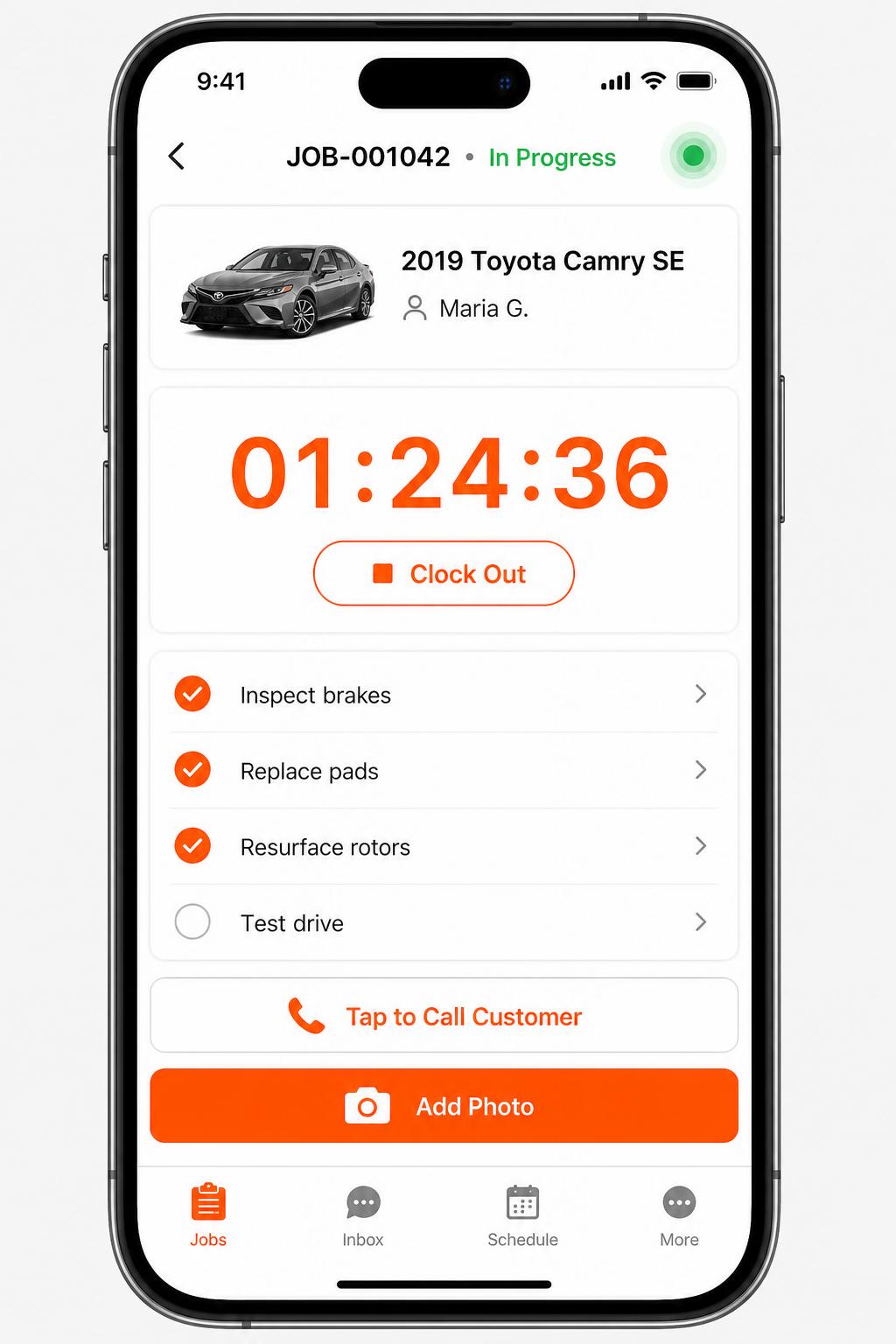
Mobile app for technicians
iOS + Android apps for every tech and driver. Clock in/out, complete checklists, snap photos, message customers — without leaving the bay.
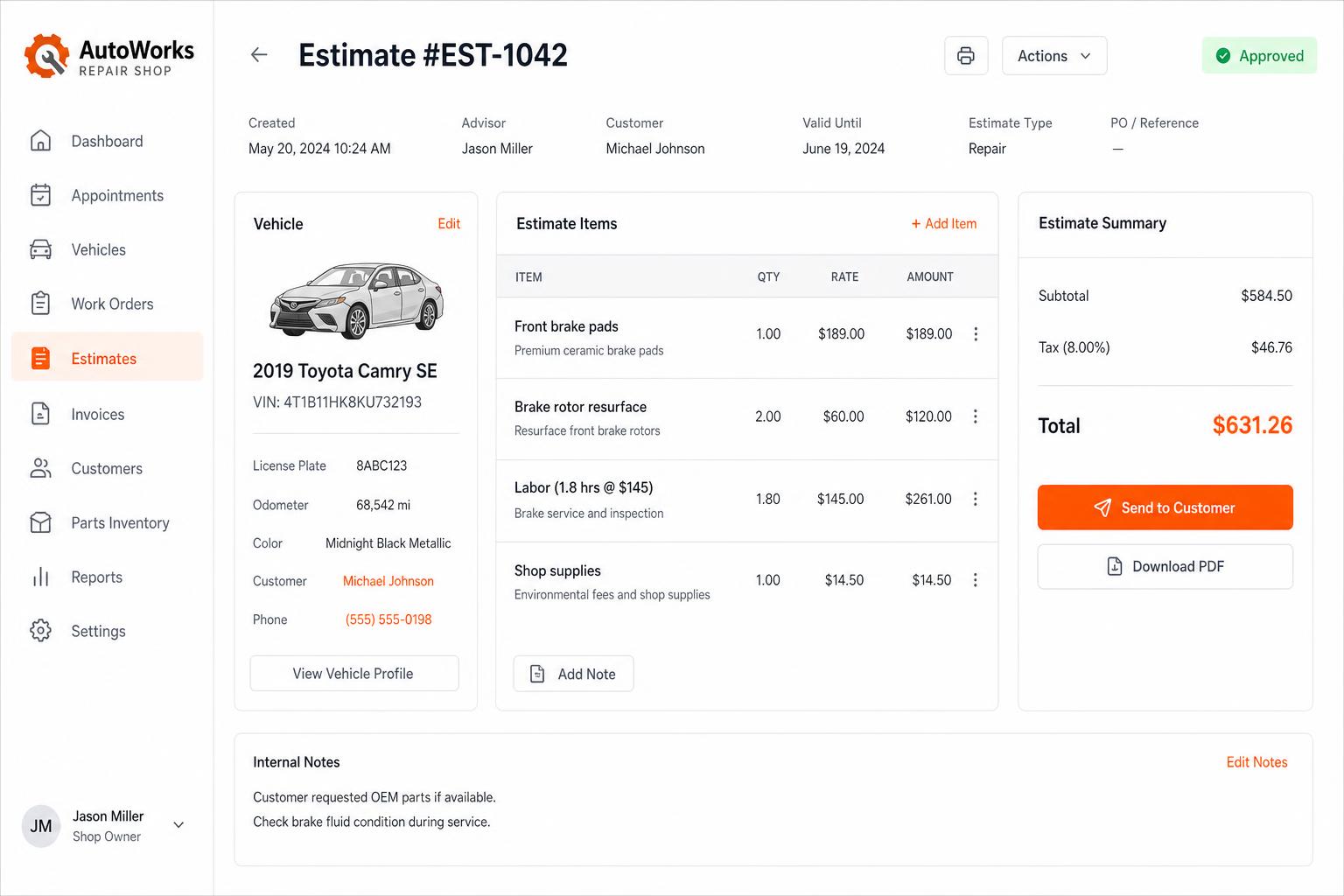
Estimates that close themselves
Build line-itemized estimates with parts, labor, tax, and shop supplies. Send via SMS or email — customers approve in one tap.
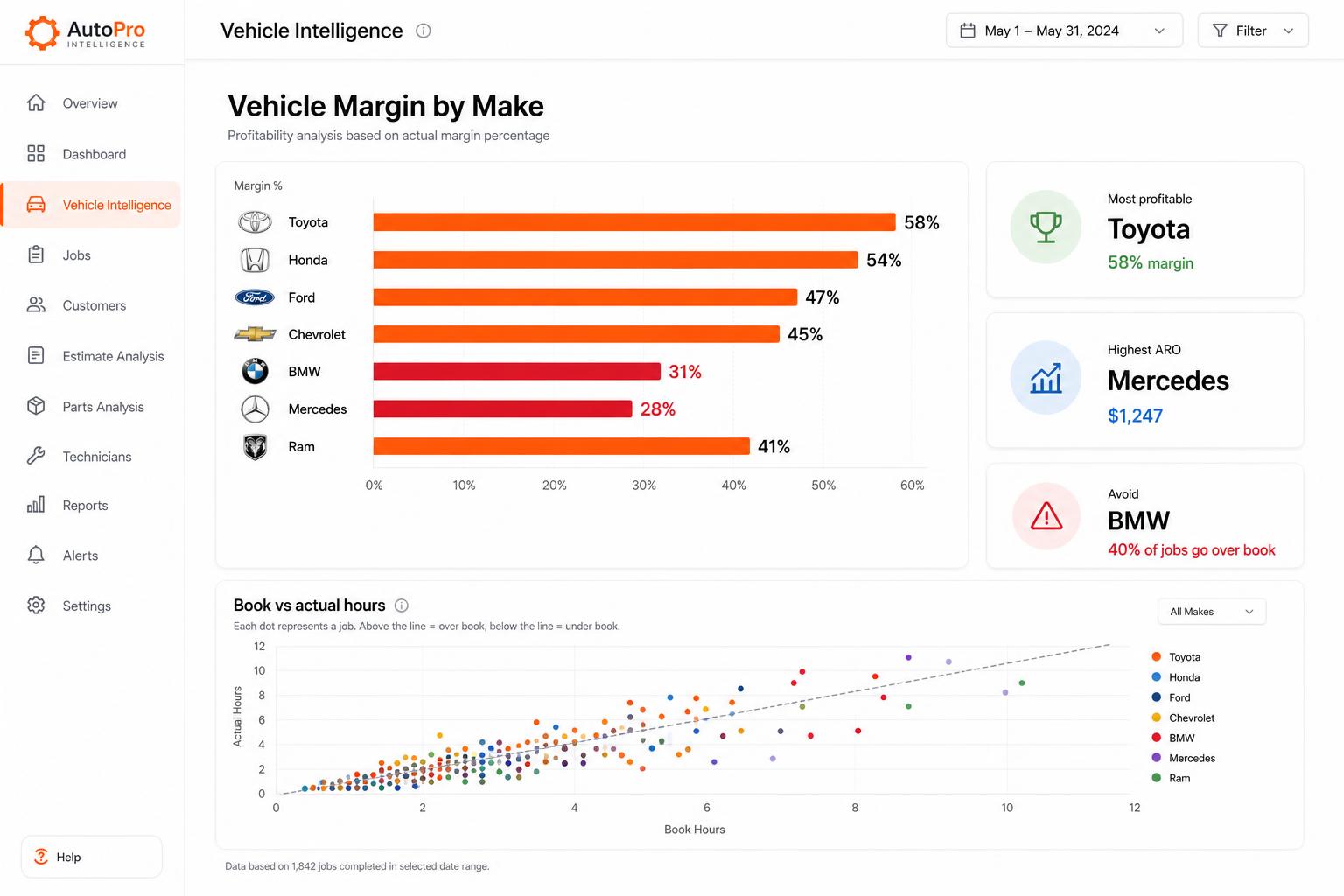
Vehicle Intelligence
See which makes actually make you money. Spot the silent profit-killers before they sink another quarter.
Honest limits
- Repairius does not calculate recovery loads or choose equipment. Your qualified personnel make every safety decision.
- It does not provide certified safety assessments or regulatory approvals.
- There is no GPS tracking and no automatic insurance claim or settlement.
- Each plan covers one location. Extra-location purchases are not available today.
Questions buyers ask
How is this different from light-duty towing software?
The workflow is built around the records heavy recovery needs: vehicle configuration, scene conditions, authorizations, scope changes and detailed time and equipment billing.
Does Repairius tell me what equipment to send?
No. Your recovery supervisor decides. Repairius records the decision and the team assigned.
Can I bill rotator, wrecker and labor time separately?
Yes. Each invoice can list equipment, labor hours, mileage and extra services as separate lines.
Can I share documentation with an insurer?
You can send the invoice and keep notes and photos on the job. Repairius does not submit or settle insurance claims.
Do I need a demo before I start?
No. Start the 14-day trial yourself, or book a demo if you want a walkthrough.