For refrigerated trailer and transport refrigeration service
Reefer Repair Shop Software for Refrigeration Unit Service
Repairius gives reefer shops one record per job: the trailer, the refrigeration unit, the reported alarms, your tech's findings, the estimate, the approval and the invoice. Fleet customers get a clear paper trail for every unit.
Repairius Pro is $99.99/month with unlimited users. Start with a 14-day trial — a card is required, and no subscription charge happens until the trial ends.
How a reefer job runs in Repairius
Step 1
Identify the trailer and unit
Open a job with the customer, trailer unit number and the refrigeration unit's make, model and serial in the notes.
Step 2
Record alarms and symptoms
Write down the alarm codes and operating symptoms the driver or fleet reported.
Step 3
Document the tech's findings
Your qualified tech adds diagnostic notes and photos from a phone or tablet browser.
Step 4
Prepare an itemized estimate
List parts, refrigerant, labor and supplies as separate lines.
Step 5
Get fleet or customer approval
Send the estimate by text or email and get approval from the link.
Step 6
Invoice and keep service history
Invoice approved work, collect card payment online, and keep the history on the unit.
Worked example: a reported reefer alarm
A driver calls in with a high discharge pressure alarm and the box slow to pull down to setpoint.
- The service writer opens a job on the carrier's account and records the alarm the driver reported.
- The tech reads the unit with the manufacturer's tools, finds a blocked condenser coil and a weak fan, and adds photos.
- The estimate lists coil cleaning, a condenser fan motor and labor.
- The fleet manager approves by text and the tech completes the repair.
- The invoice goes out and the unit's history shows the alarm, the cause and the fix.
Buyer checklist
- ✓Can you record the trailer and the refrigeration unit details on the same job?
- ✓Is there a clear place for reported alarms, symptoms and tech findings?
- ✓Can fleets approve estimates remotely without phone tag?
- ✓Do invoices itemize parts, refrigerant and labor clearly?
- ✓Will you keep using your manufacturer diagnostic tools alongside it?
What it looks like in the app
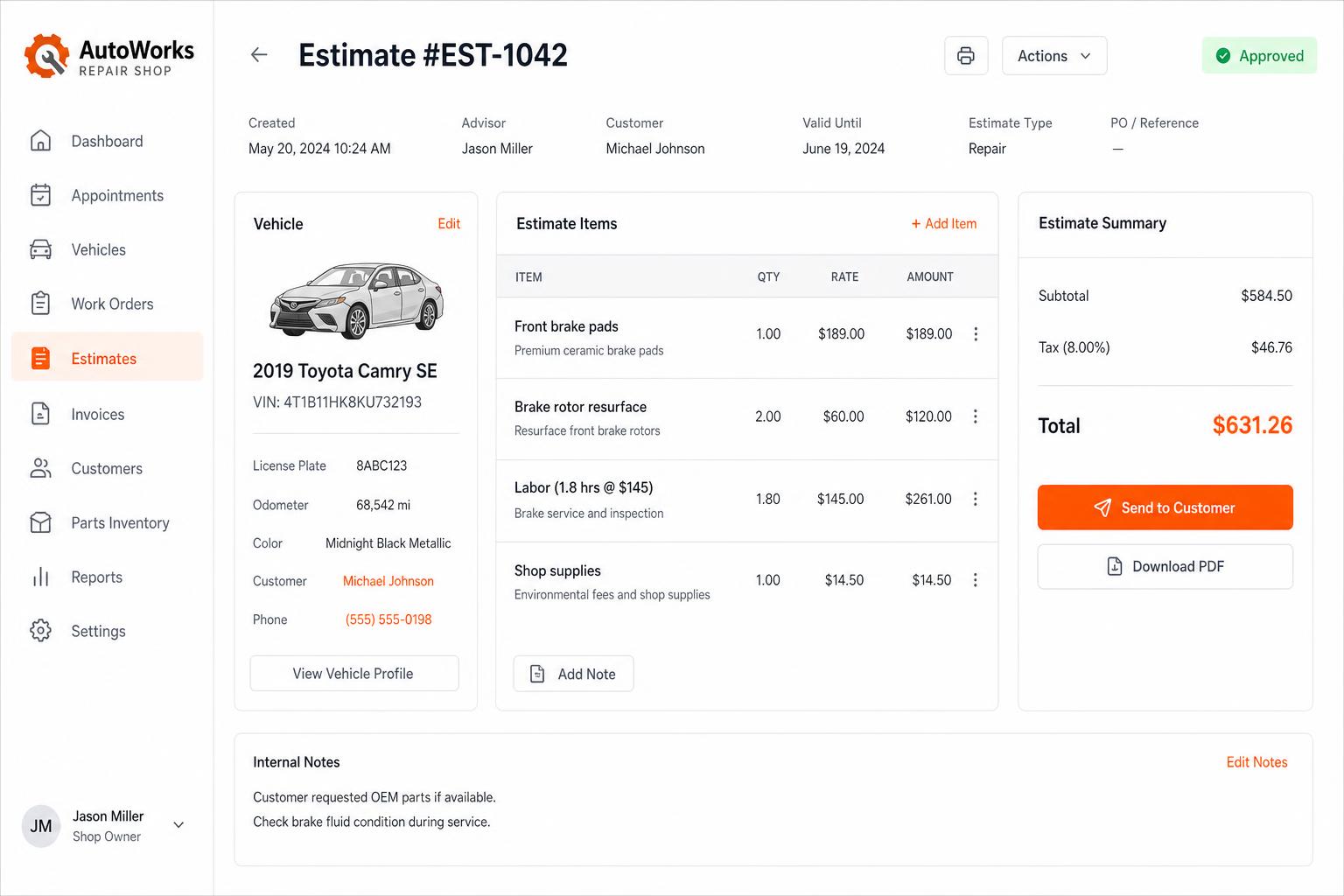
Estimates that close themselves
Build line-itemized estimates with parts, labor, tax, and shop supplies. Send via SMS or email — customers approve in one tap.
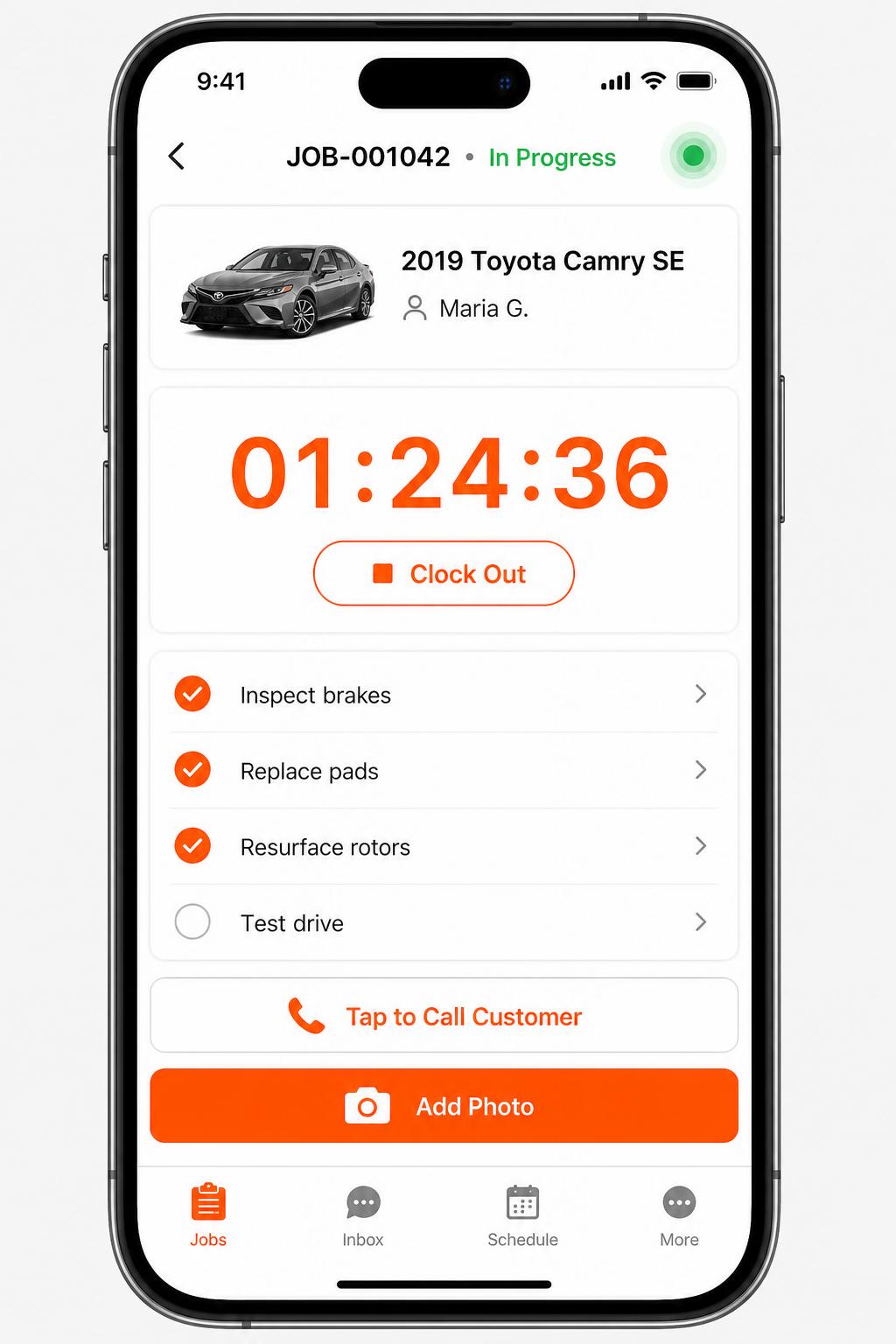
Mobile app for technicians
iOS + Android apps for every tech and driver. Clock in/out, complete checklists, snap photos, message customers — without leaving the bay.
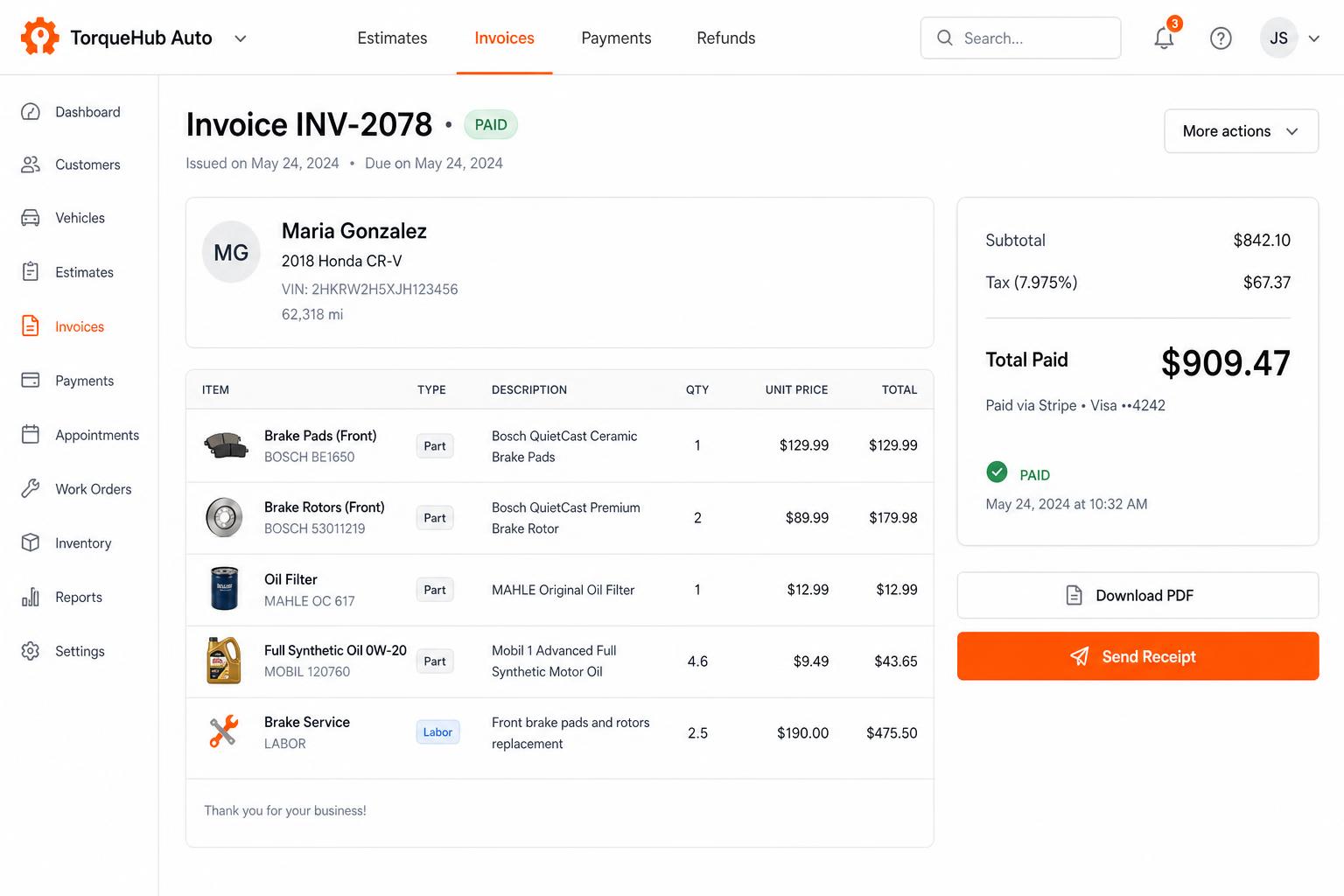
Invoicing + payments, built in
Convert estimates into invoices, collect card payments via Stripe, send PDF receipts. No third-party billing software.
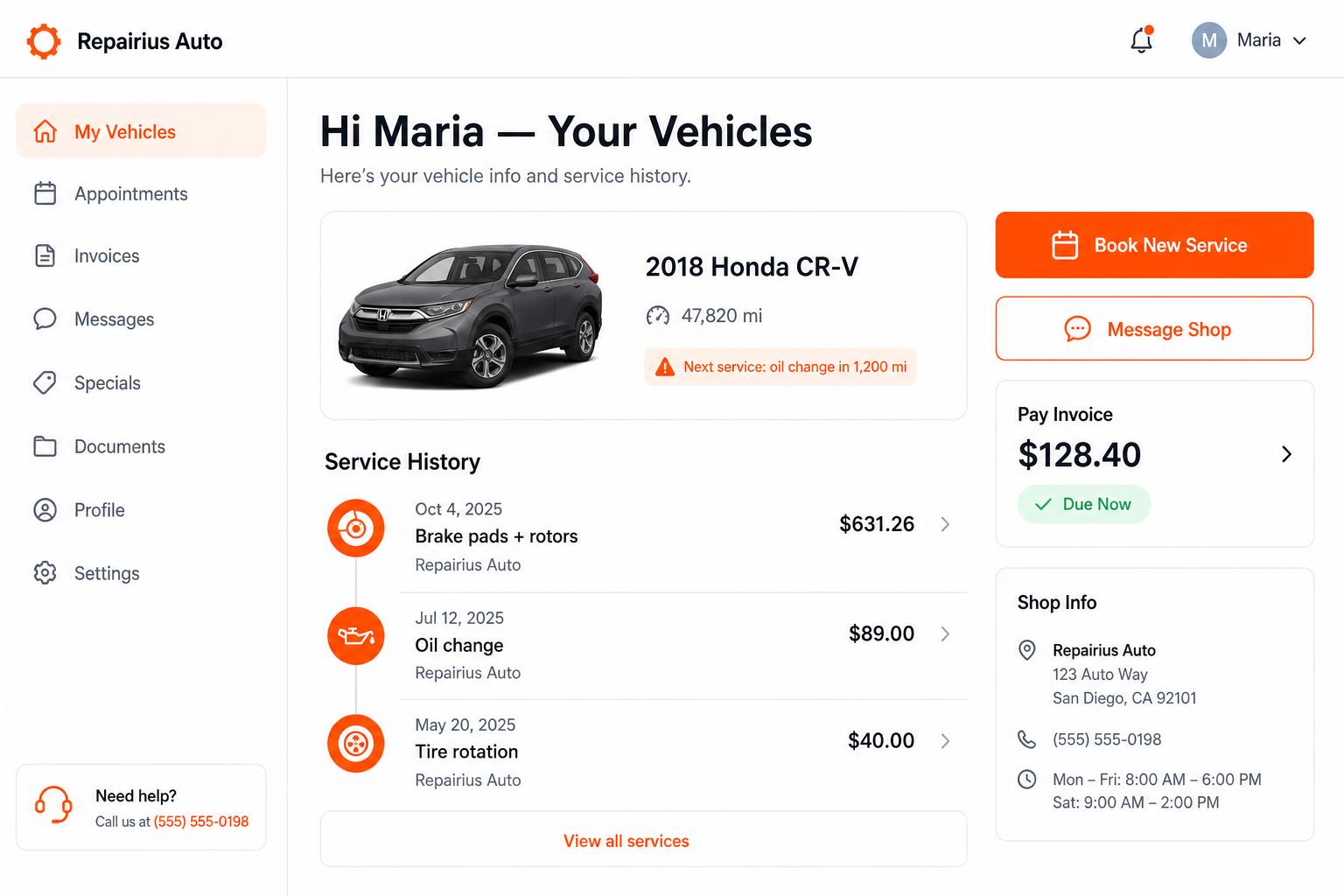
Branded customer portal
Every customer gets their own portal — vehicle history, upcoming service reminders, message the shop, pay invoices. Drives repeat business.
Honest limits
- Repairius does not include Carrier, Thermo King or other manufacturer diagnostic software.
- There is no live reefer temperature monitoring or remote unit telemetry.
- Repairius does not certify refrigerated cargo safety or food-safety compliance.
- Each plan covers one location. Extra-location purchases are not available today.
Questions buyers ask
Does it read alarm codes from the unit?
No. Your tech reads the unit with the manufacturer's tools and records the codes and findings on the job.
Can I handle trailer body work too?
Yes. Reefer, trailer and truck jobs all run from the same work orders.
Can fleets see what was done on each unit?
Yes. Each job keeps notes, photos, the approved estimate and the invoice, so you can share a clear record.
How many techs can I add?
As many as you need. Every plan includes unlimited users.
Is there a trial?
Yes, 14 days. A card is required, and you can cancel before the trial ends.