For dry van, flatbed, chassis and trailer repair shops
Trailer Repair Shop Software for Commercial Trailer Work
Repairius keeps every trailer job in one record: the unit, the customer, inspection photos, the estimate, approvals and the final invoice. Fleet managers see why work is needed, and you keep each trailer's service history for the next visit.
Repairius Pro is $99.99/month with unlimited users. Start with a 14-day trial — a card is required, and no subscription charge happens until the trial ends.
How a trailer repair runs in Repairius
Step 1
Record the trailer and the problem
Open a job with the customer, trailer VIN or unit number, and the reported issue. Returning trailers show their past work.
Step 2
Document inspection findings
Techs add notes and photos from a phone or tablet browser so the customer can see the damage or wear.
Step 3
Build an itemized estimate
Add parts, labor, tax and shop supplies as separate lines. Labor suggestions are a starting point you review.
Step 4
Get authorization
Text or email the estimate. The customer or fleet manager approves from the link.
Step 5
Track progress and added repairs
Update job status as work moves. Extra findings go back to the customer for approval before you do them.
Step 6
Invoice and keep the history
Turn approved lines into an invoice, collect card payment online, and keep the record on the trailer.
Worked example: landing gear and lighting
A fleet drops off a 53' dry van with a landing gear crank that binds and a marker light circuit that keeps failing.
- The service writer opens a job on the fleet's account using the trailer unit number.
- The tech photographs the bent gear leg and the corroded pigtail connector and adds notes.
- The estimate lists a landing gear leg, pigtail, connectors and labor as separate lines.
- The fleet manager approves by text. While testing, the tech finds a cracked tail lamp and sends a second approval.
- Once both are done, the invoice goes out with photos and the trailer's history is updated.
Buyer checklist
- ✓Can you look up each trailer by VIN or unit number and see past repairs?
- ✓Can techs attach photos and notes to the job from the shop floor?
- ✓Can a customer or fleet manager approve work remotely, including add-on repairs?
- ✓Do invoices show parts and labor clearly enough for fleet accounts payable?
- ✓Does it fit how you document inspections today, with your own checklist and sign-off?
What it looks like in the app
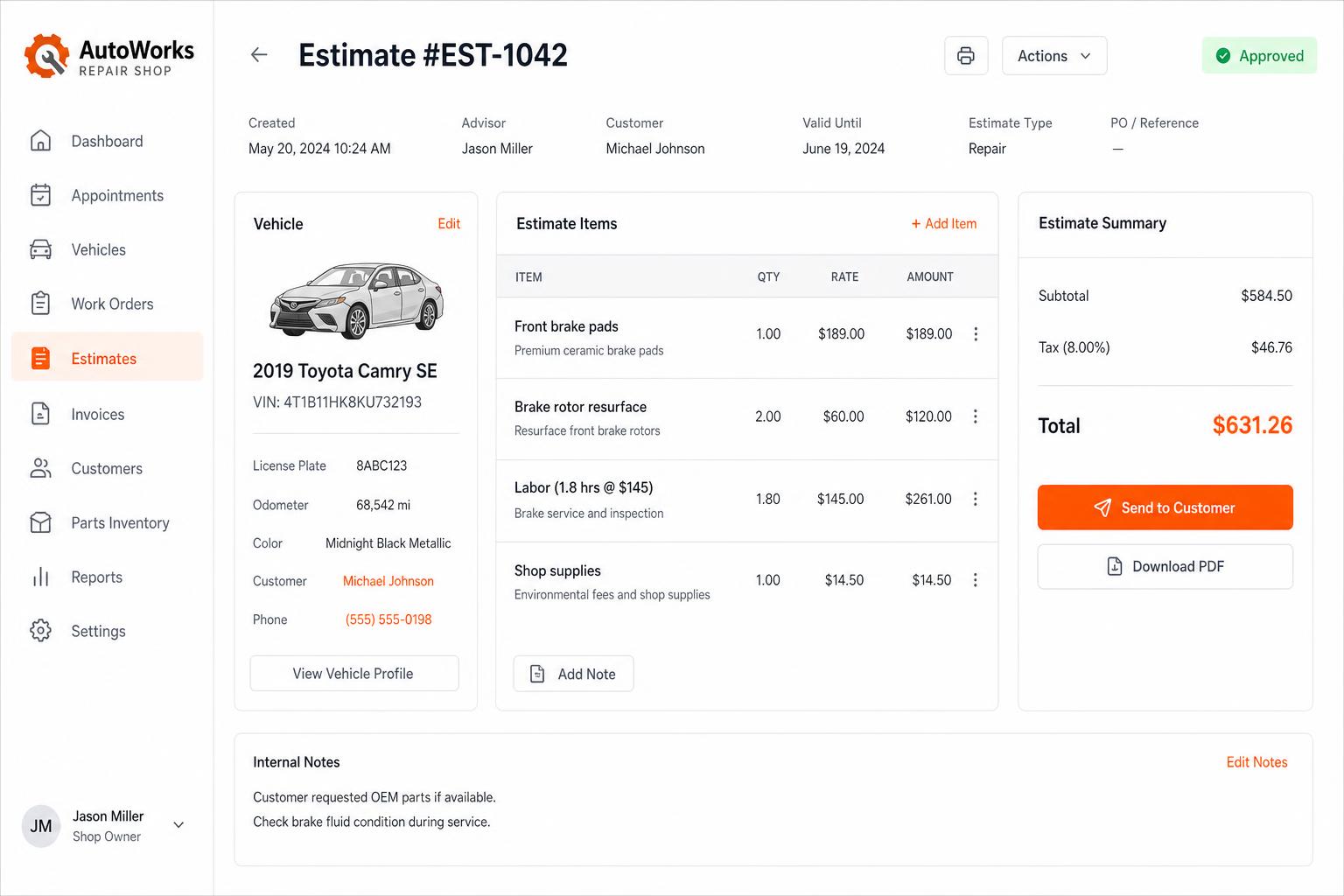
Estimates that close themselves
Build line-itemized estimates with parts, labor, tax, and shop supplies. Send via SMS or email — customers approve in one tap.
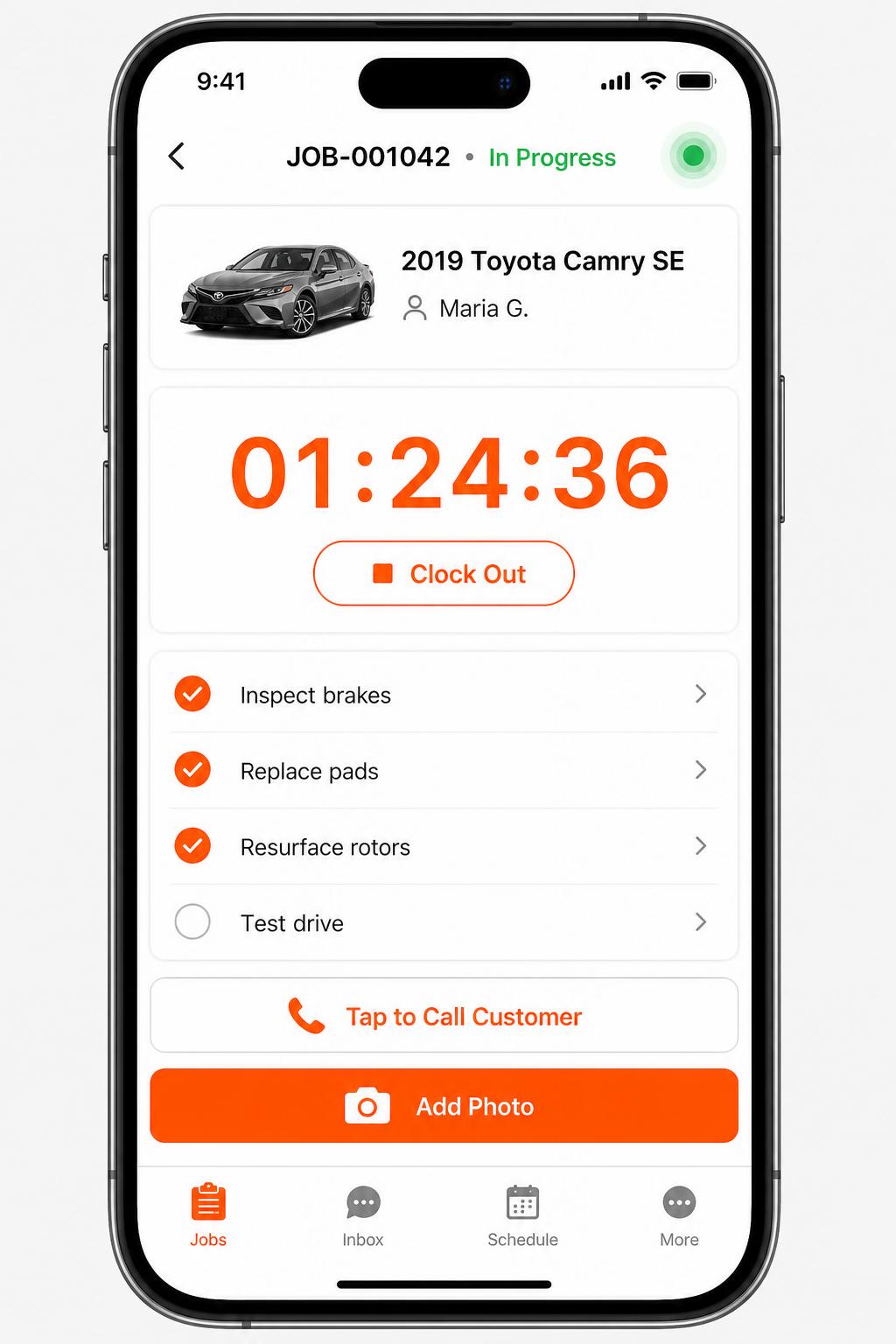
Mobile app for technicians
iOS + Android apps for every tech and driver. Clock in/out, complete checklists, snap photos, message customers — without leaving the bay.
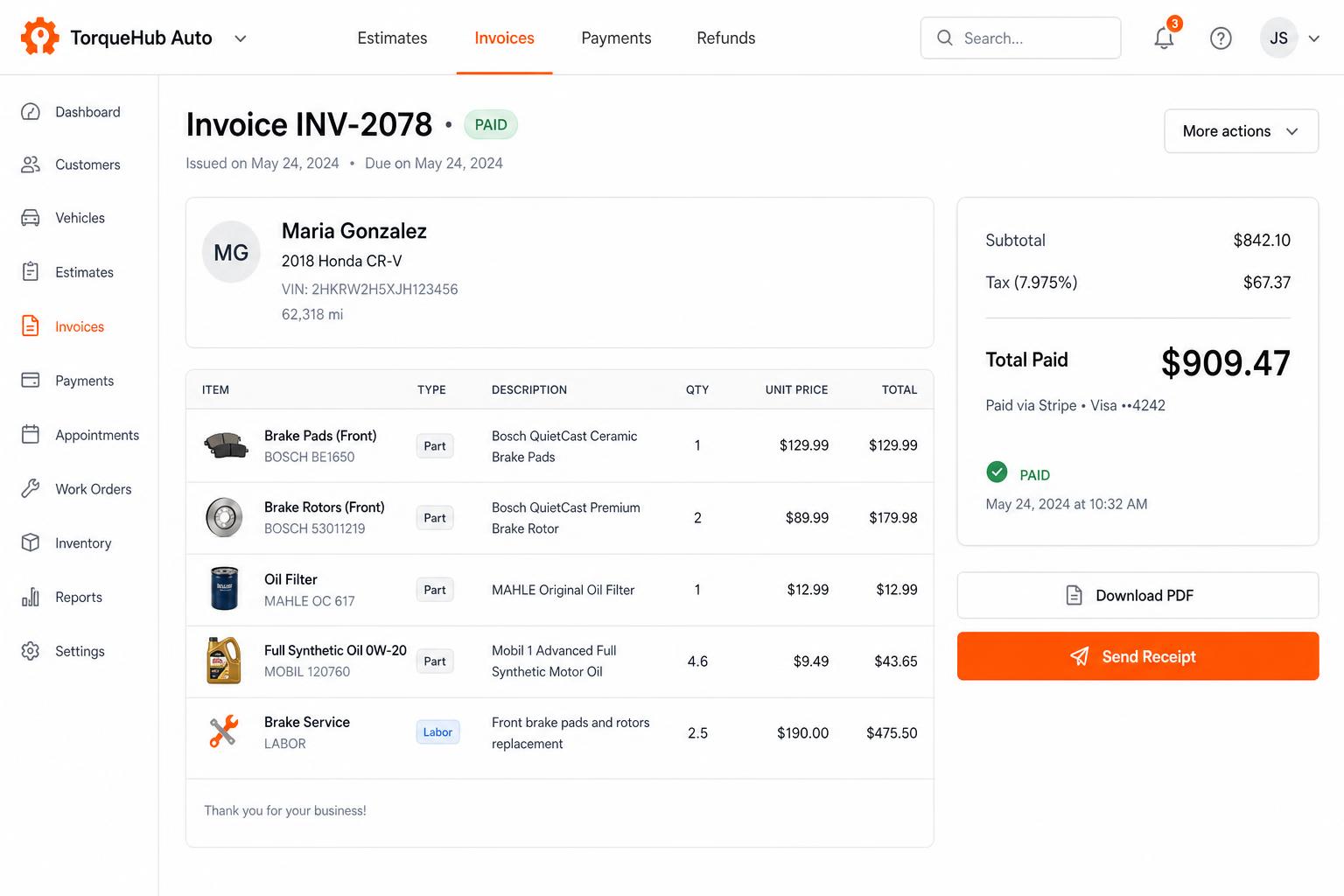
Invoicing + payments, built in
Convert estimates into invoices, collect card payments via Stripe, send PDF receipts. No third-party billing software.
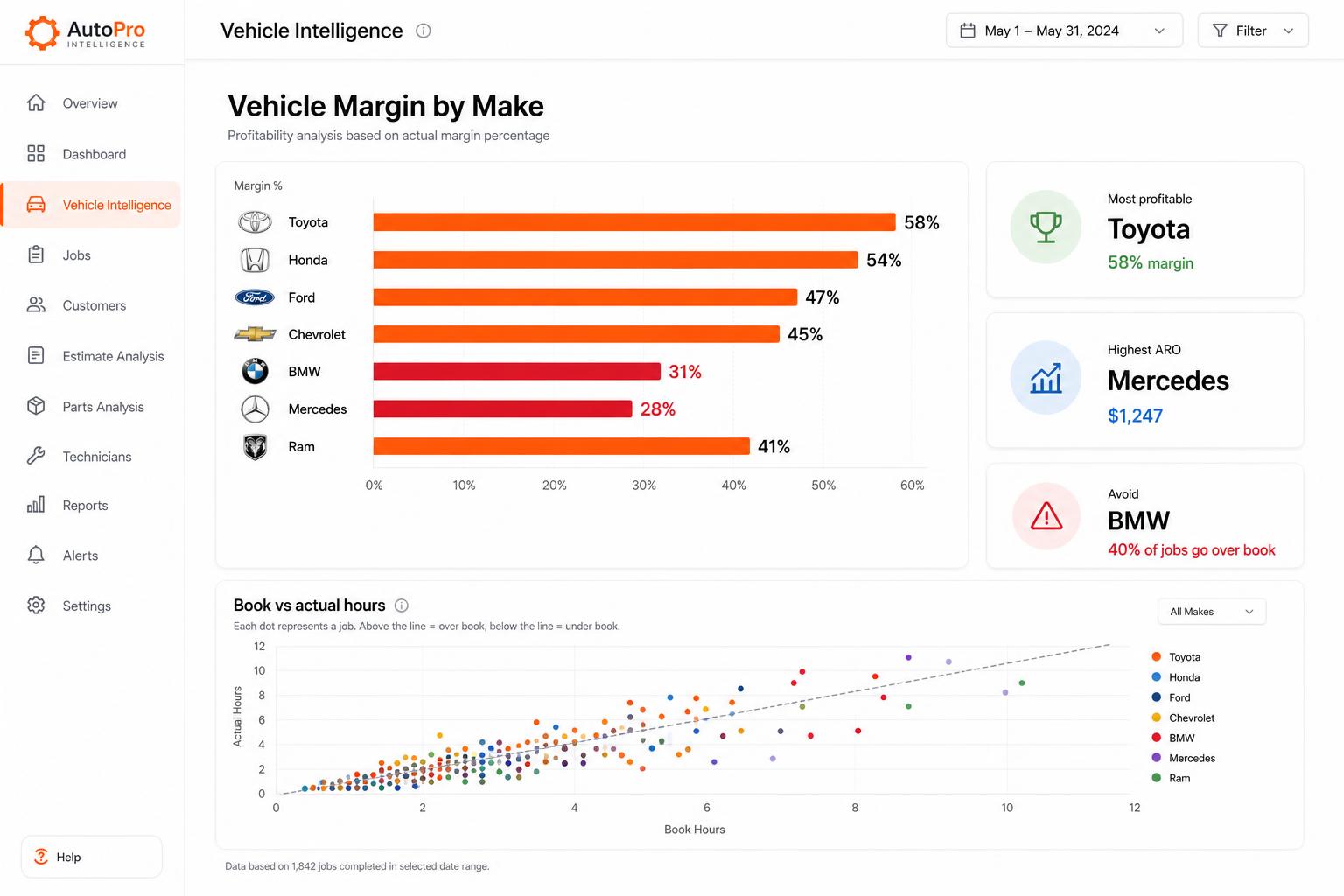
Vehicle Intelligence
See which makes actually make you money. Spot the silent profit-killers before they sink another quarter.
Honest limits
- Repairius does not certify DOT or annual inspections. Your qualified inspector is responsible for that sign-off.
- There are no licensed OEM service manuals built in.
- Parts vendor coverage varies by area, and parts availability is not guaranteed.
- Each plan covers one location. Extra-location purchases are not available today.
Questions buyers ask
Does it work for flatbeds, chassis and dry vans?
Yes. Jobs, estimates and history work for any trailer type, tracked by VIN or unit number.
Can fleet managers approve work without calling?
Yes. They approve the estimate from a text or email link, and added repairs can be sent for approval the same way.
Will it handle my DOT inspection paperwork?
You can record findings and photos on the job, but Repairius does not certify inspections. Your inspector still signs off.
How many people can use it?
Every plan includes unlimited users, so writers, techs and managers each get their own login.
Do I need a demo first?
No. Start the 14-day trial yourself, or book a demo if you want a walkthrough.