For towing companies and roadside providers
Towing Company Software for Service Calls and Billing
Repairius gives independent towing companies and roadside providers one record for each call: the caller, the vehicle, pickup and destination, the operator assigned, photos and notes, and the final itemized invoice. Light-, medium- and heavy-duty operators use the same workflow.
Repairius Pro is $99.99/month with unlimited users. Start with a 14-day trial — a card is required, and no subscription charge happens until the trial ends.
How a towing call runs in Repairius
Step 1
Receive the service request
Capture the caller, vehicle, pickup location, destination, contact details and the reported problem on a new job.
Step 2
Confirm the service requirements
Note the type of tow requested, equipment needed, access restrictions and who authorized the work.
Step 3
Organize the job
Assign the job to a team member and share the details with the operator by text or in the app.
Step 4
Document the service
The operator adds notes, completion details and photos from a phone browser.
Step 5
Prepare the invoice
Itemize the tow, mileage, extra services and other approved charges, then collect card payment online.
Step 6
Maintain customer history
Keep records for repeat customers and fleet accounts so the next call starts with their details.
Illustrative workflow: a shop calls for a commercial tow
This is an illustrative example, not a real customer case. A local repair shop calls to have a disabled box truck brought in from a customer's lot.
- The dispatcher opens a job with the shop as the customer, the truck's unit number, the pickup address and the shop as destination.
- They note that the truck needs a medium-duty wrecker and that the lot gate closes at 6 PM.
- The job is assigned to an operator with the right truck, who gets the details by text.
- On arrival the operator adds photos of the truck's condition and notes the loaded miles.
- The invoice lists the hook-up, mileage and wait time as separate lines and goes to the shop by email.
Buyer checklist
- ✓Accurate customer and vehicle records on every call
- ✓Service request intake and job assignment
- ✓Clear communication with drivers and operators
- ✓Itemized billing for towing, mileage and extra services
- ✓Service history and follow-up for repeat and fleet customers
What it looks like in the app
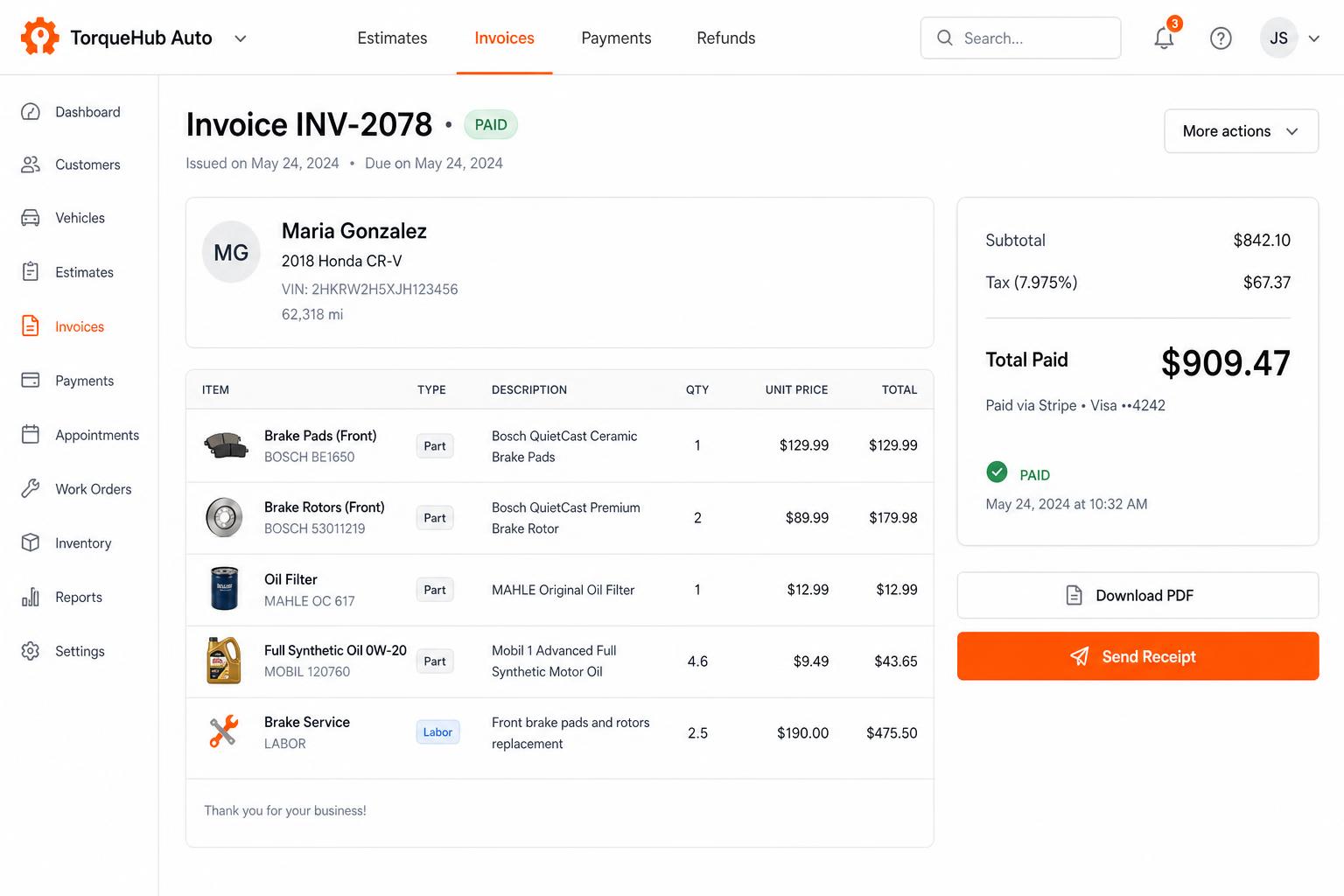
Invoicing + payments, built in
Convert estimates into invoices, collect card payments via Stripe, send PDF receipts. No third-party billing software.
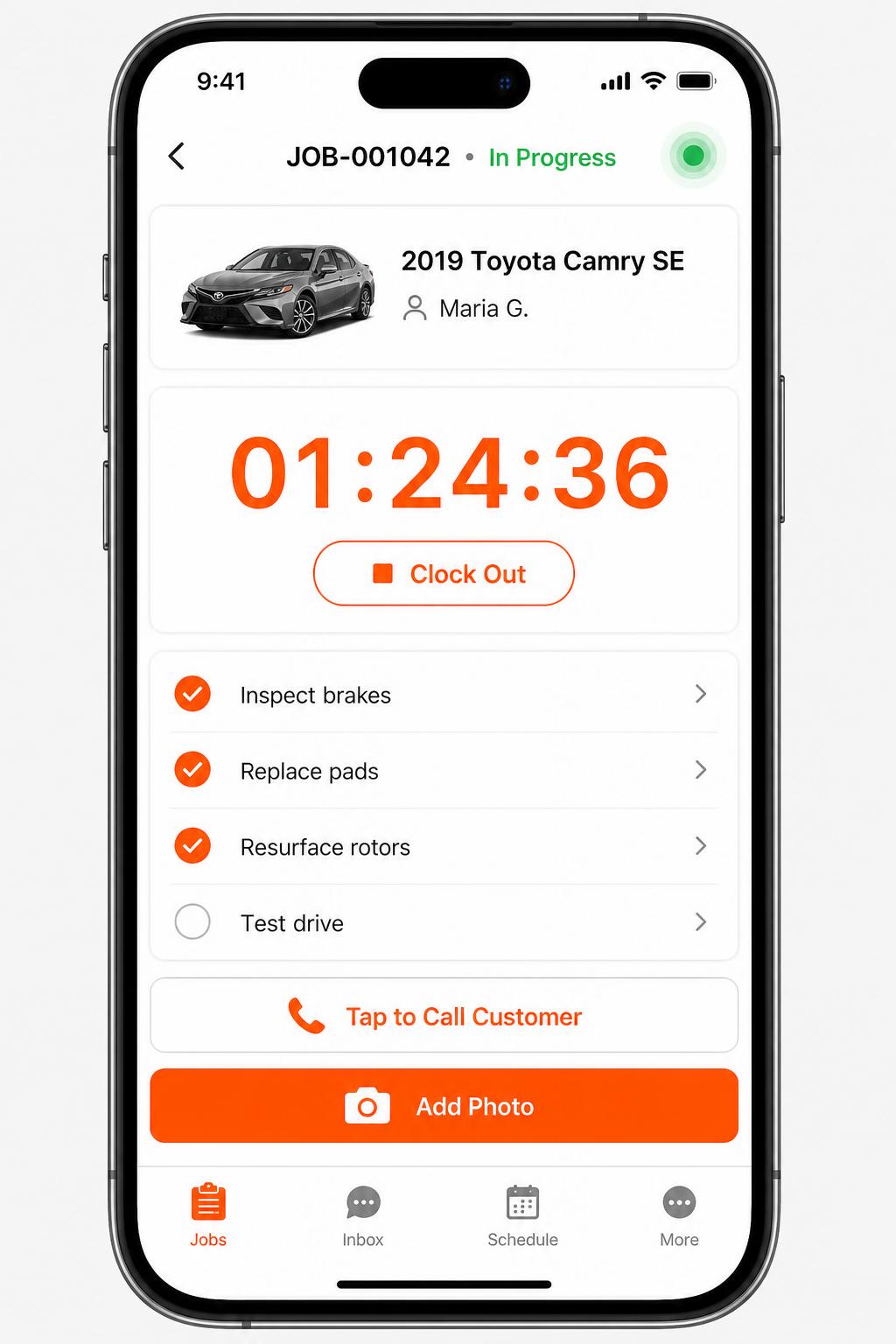
Mobile app for technicians
iOS + Android apps for every tech and driver. Clock in/out, complete checklists, snap photos, message customers — without leaving the bay.
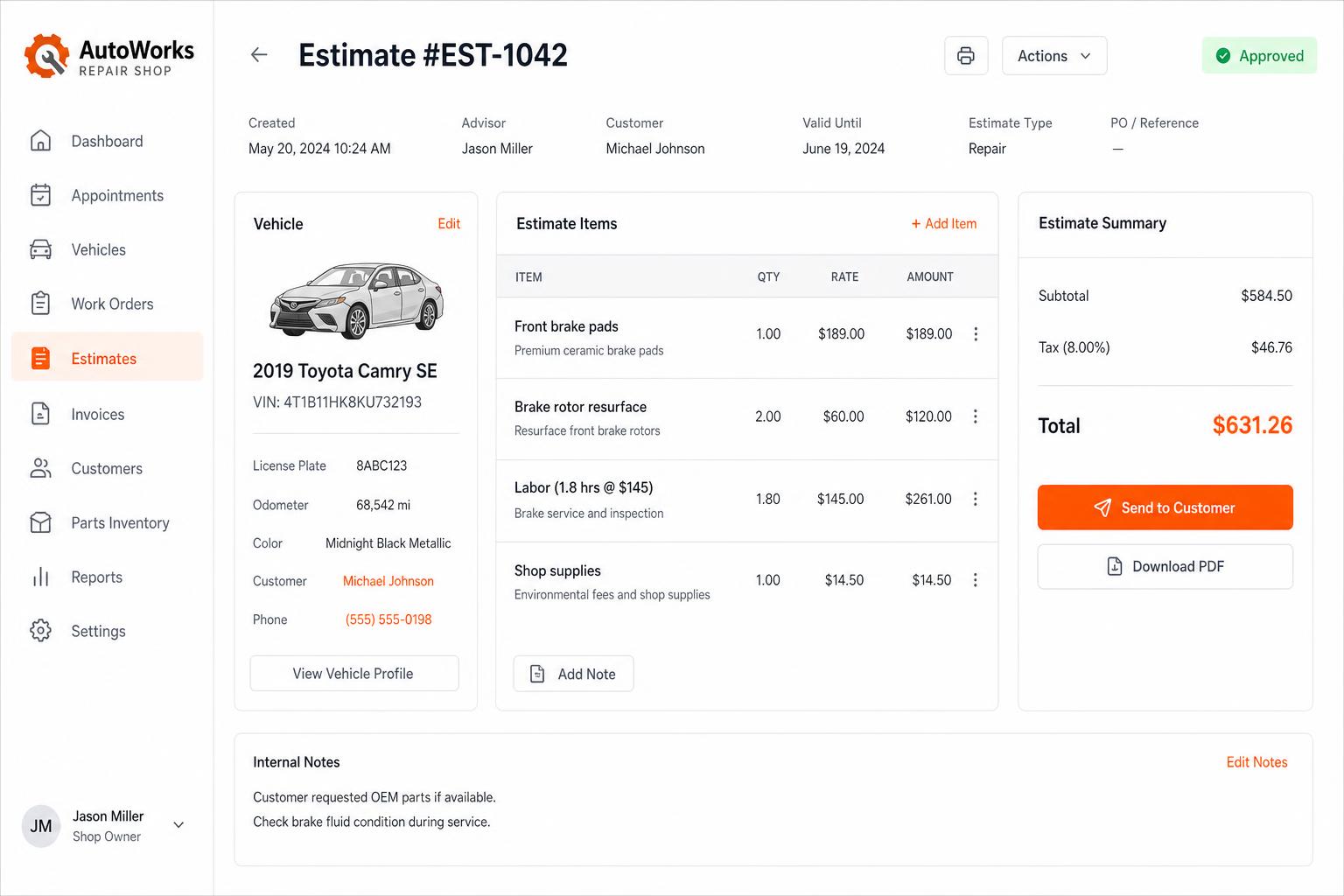
Estimates that close themselves
Build line-itemized estimates with parts, labor, tax, and shop supplies. Send via SMS or email — customers approve in one tap.
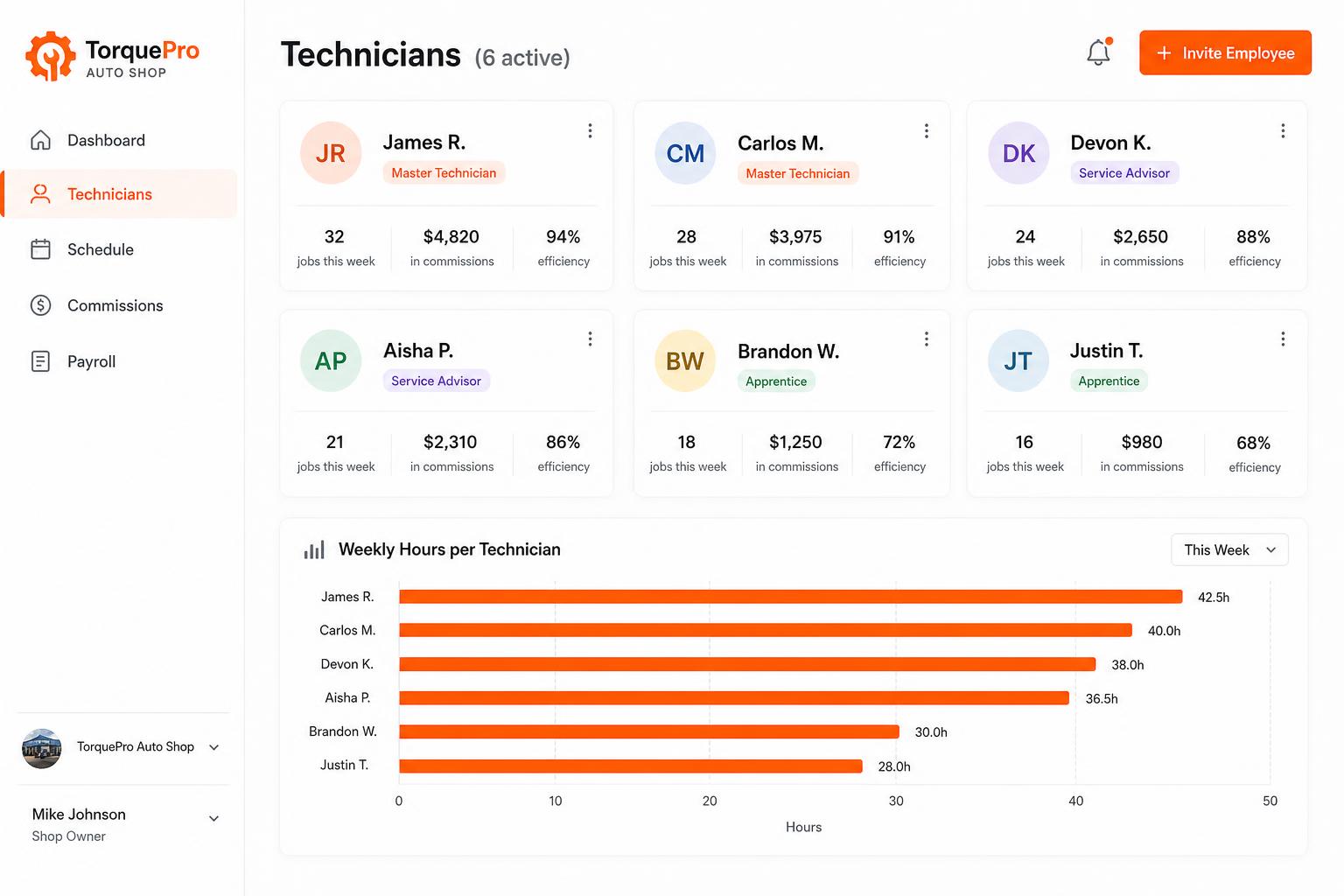
Employee management portal
Track every tech: jobs completed, commissions, efficiency, payroll-ready hours. Invite unlimited employees on every plan.
Honest limits
- Repairius does not offer real-time GPS tracking of tow trucks.
- There is no police rotation integration or automatic impound compliance.
- Motor-club jobs are entered manually; there is no motor-club integration.
- A directory listing does not guarantee towing leads or call volume.
- Each plan covers one location. Extra-location purchases are not available today.
Questions buyers ask
Does it work for light-, medium- and heavy-duty towing?
Yes. Jobs, notes, photos and invoices work the same way whatever the vehicle size. You record the equipment used on each job.
Can my operators use it from the truck?
Yes. It runs in a phone or tablet browser, so operators can view job details and add photos and notes on scene.
Can I bill mileage and extra services separately?
Yes. Each invoice can carry separate lines for the tow, mileage, wait time, winching or other approved charges.
Does it track my trucks on a map?
No. Repairius does not provide live GPS tracking. It organizes the call, the job and the billing.
How many users can I add?
Every plan includes unlimited users, so dispatchers, operators and office staff each get their own login.