For tow dispatchers and dispatch managers
Towing Dispatch Software for Call Intake and Job Coordination
Repairius helps dispatchers take accurate calls, match each job to the right operator, keep job status current and close every call with a complete record and invoice. It focuses on dispatch administration and billing, not live fleet tracking.
Repairius Pro is $99.99/month with unlimited users. Start with a 14-day trial — a card is required, and no subscription charge happens until the trial ends.
How dispatch runs in Repairius
Step 1
Record the call
Log the caller, vehicle, contact details and an accurate pickup location on a new job.
Step 2
Determine service requirements
Note what the job needs and confirm the operator and equipment are suitable.
Step 3
Assign the job
Assign it to a team member and share the details by text or in the app.
Step 4
Update status
Move the job through its statuses and text the customer about important changes.
Step 5
Document the completed service
Record the work actually performed, with notes and photos from the operator.
Step 6
Reconcile and bill
Check the job record and customer details, then invoice and collect payment.
Illustrative workflow: a disabled truck on the shoulder
This is an illustrative example, not a real customer case. A commercial driver calls to report a disabled truck and asks for a tow to a repair shop.
- The dispatcher logs the driver's name, the carrier, the unit number and the pickup location the driver describes.
- They record that a heavy wrecker is needed and confirm which available operator has one.
- The job is assigned and the operator receives the details. The status changes to assigned.
- When plans change, the dispatcher updates the status and texts the driver.
- After the tow, the operator's notes and photos are on the job, and the invoice goes to the carrier.
Buyer checklist
- ✓Reliable call intake with accurate pickup details
- ✓Clear equipment and operator requirements per job
- ✓Job assignment and status visibility
- ✓Customer communication by text
- ✓Accurate completion and payment records
What it looks like in the app
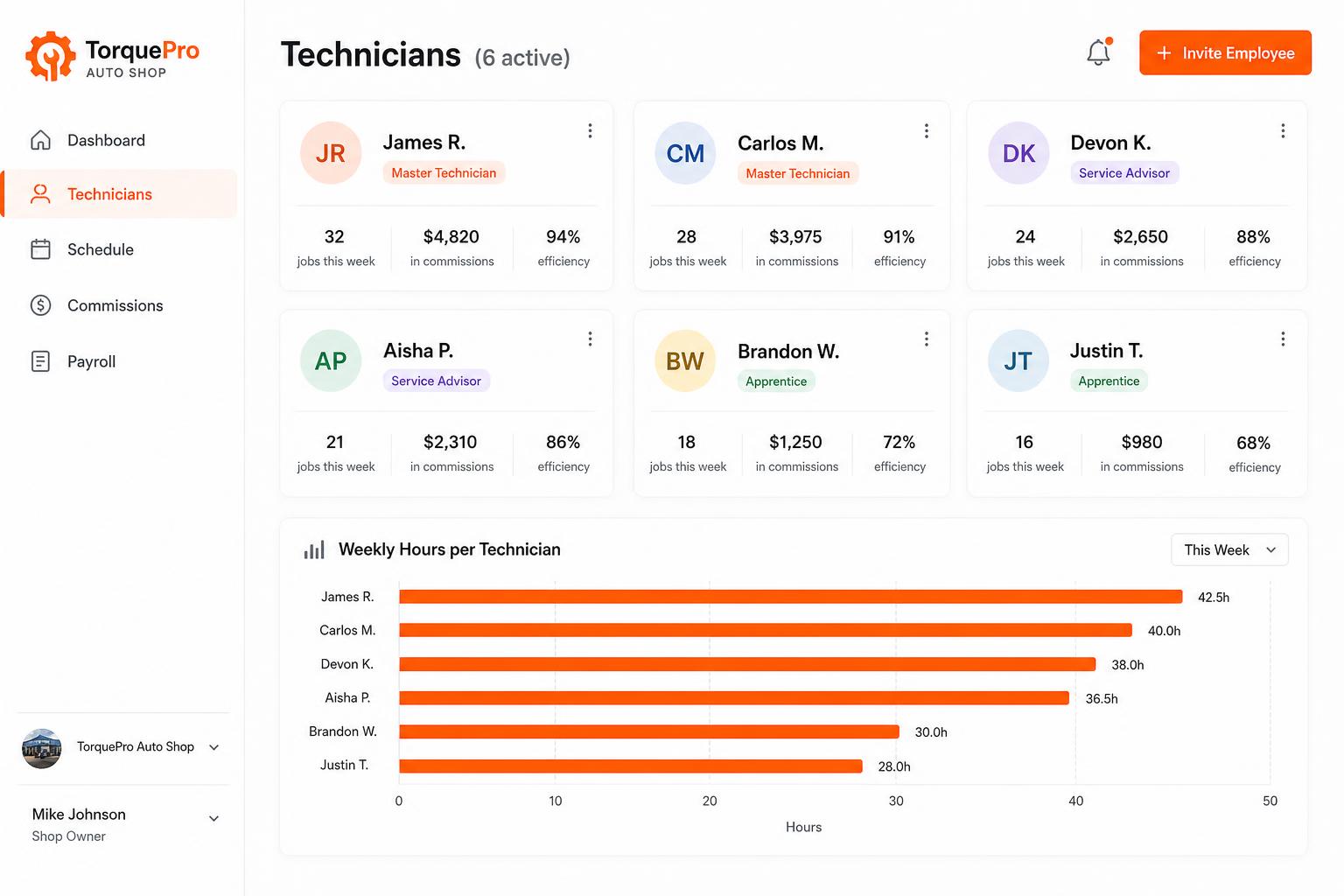
Employee management portal
Track every tech: jobs completed, commissions, efficiency, payroll-ready hours. Invite unlimited employees on every plan.
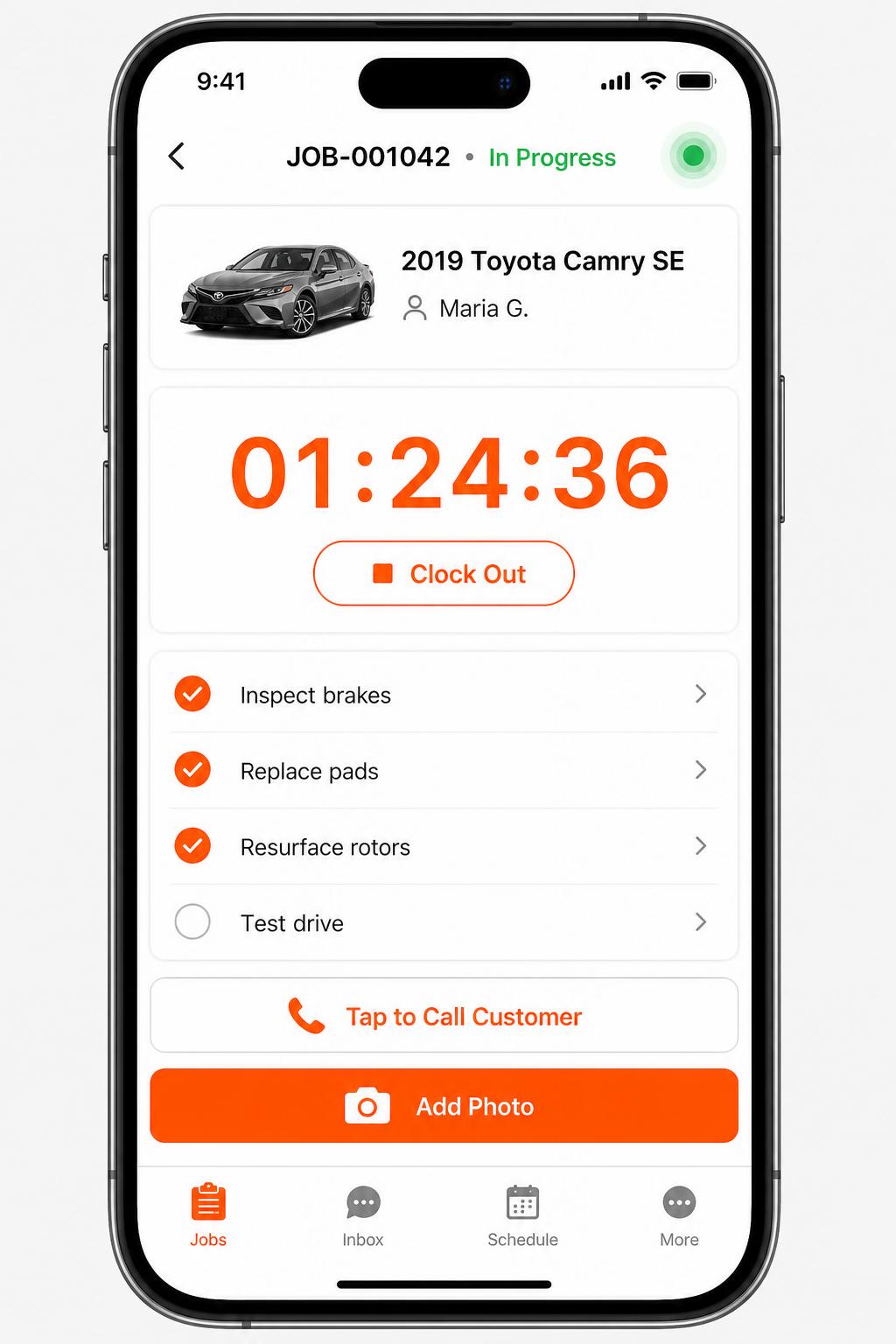
Mobile app for technicians
iOS + Android apps for every tech and driver. Clock in/out, complete checklists, snap photos, message customers — without leaving the bay.
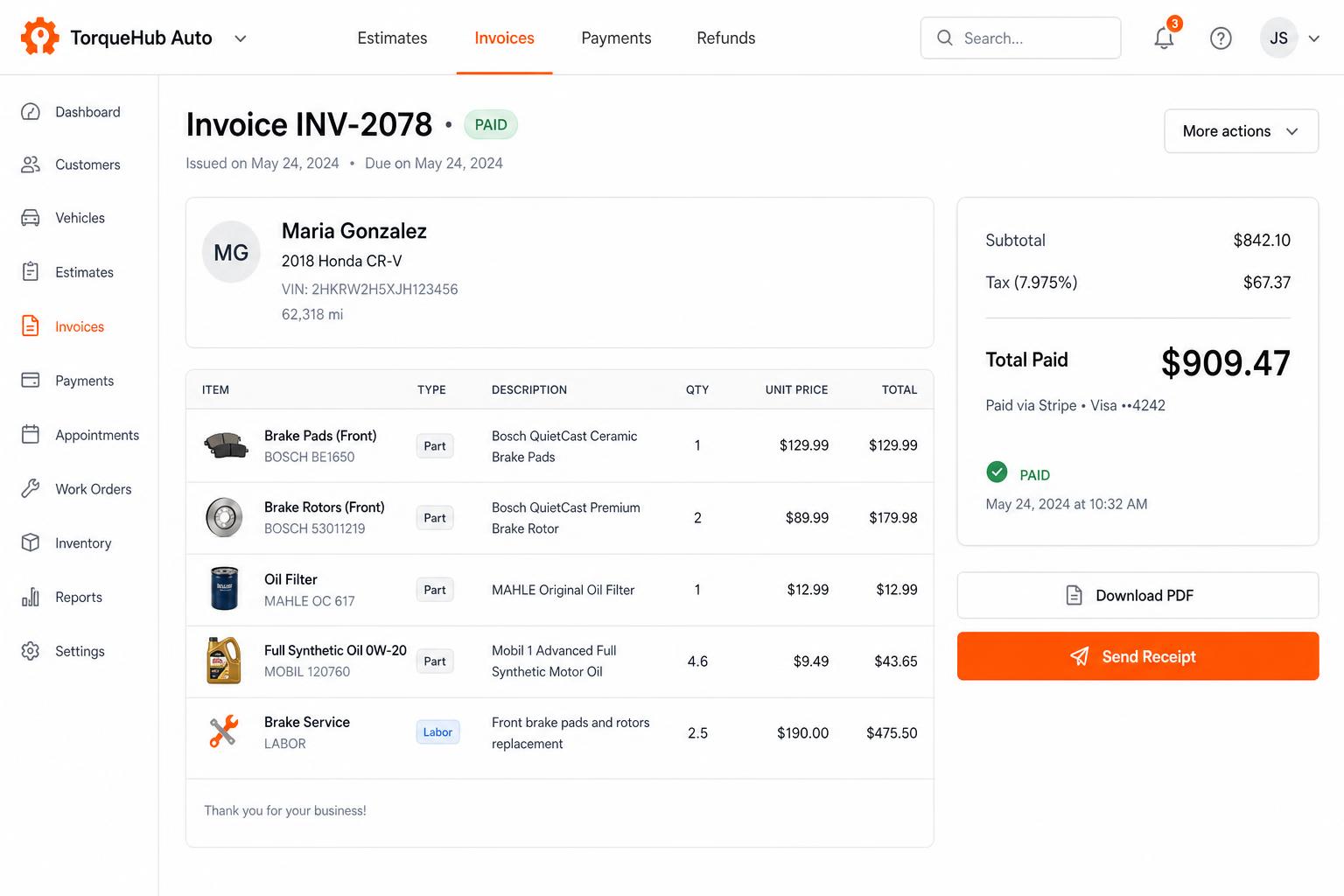
Invoicing + payments, built in
Convert estimates into invoices, collect card payments via Stripe, send PDF receipts. No third-party billing software.
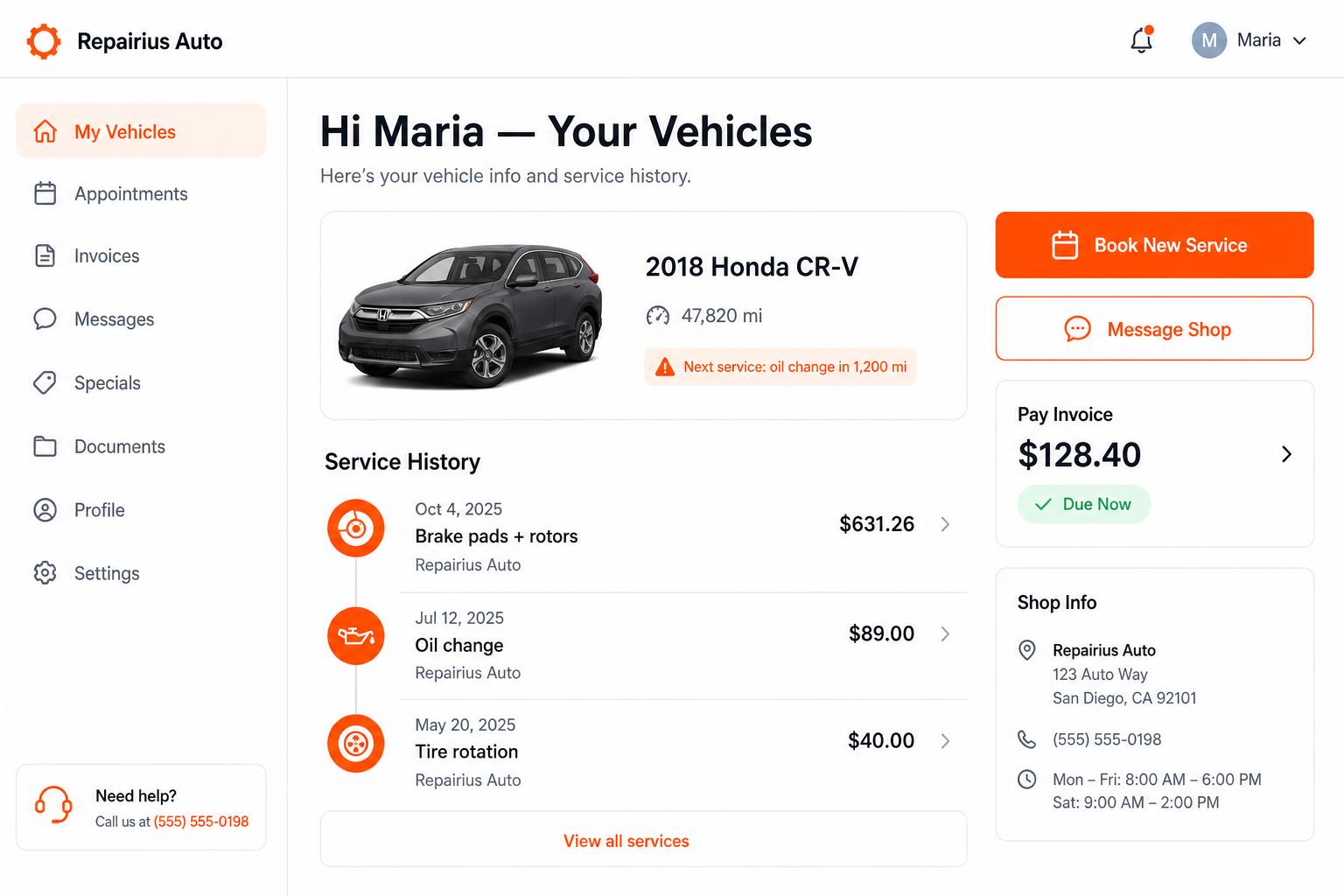
Branded customer portal
Every customer gets their own portal — vehicle history, upcoming service reminders, message the shop, pay invoices. Drives repeat business.
Honest limits
- There is no real-time GPS tracking, automatic arrival times or automated dispatch.
- There is no police rotation, impound compliance or motor-club integration.
- DispatchTool is a separate RepairFlow product. It is not included with a Repairius subscription.
- Each plan covers one location. Extra-location purchases are not available today.
Questions buyers ask
Can multiple dispatchers work at the same time?
Yes. Every plan includes unlimited users, so each dispatcher has a login and sees the same jobs.
Does it show where my trucks are?
No. Repairius does not track vehicles or estimate arrival times. Dispatchers record locations and status on the job.
Can I keep the customer updated?
Yes. You can text the customer from the job when the status or plan changes.
Is DispatchTool included?
No. DispatchTool is a separate RepairFlow product with its own account and billing. Repairius covers service administration and billing.
How do I invoice after the job?
Turn the job into an itemized invoice and send it by text or email with an online card payment link.